Discover 12 free meeting minutes templates for Word, Google Docs, and Notion. Streamline your workflow and create perfect records with our curated list.
12 Best Free Meeting Minutes Templates to Boost Productivity in 2026
Meetings are fundamental to collaboration, but their value quickly disappears without a proper record. Ineffective minute-taking leads to forgotten action items, ambiguous decisions, and a collective sense that time was wasted. A structured template is the simplest solution, but finding the right one for your specific needs can be a time-consuming task. This guide is designed to solve that exact problem by providing a direct path to the best meeting minutes templates available online.
We have curated and analysed 12 of the best platforms offering free and premium templates, ensuring you can find the perfect fit for any situation. Whether you need a formal template for a board meeting, a simple checklist for a daily stand-up, or a dynamic layout for a creative brainstorm, you will find it here. This listicle is organised to help you make a quick, informed decision.
For each resource, we provide:
- A clear preview screenshot so you know what you are getting.
- Direct links to the download or access page.
- Practical use cases to match the template to your meeting type.
- Details on available formats, including Word, Google Docs, Notion, and Excel.
This article solves the dual problem of disorganized meetings and inefficient note-taking. We'll explore how to customize templates for maximum impact and introduce how AI-powered transcription tools can help you convert recorded meetings into accurate, detailed minutes with minimal effort. By the end, you won’t just have a template; you will have a complete, efficient system for capturing and acting on the value from every meeting, boosting your team’s productivity and accountability.
1. Microsoft Create (Office Templates)
Microsoft Create offers a vast and reliable library of free meeting minutes templates, making it an excellent starting point for any team already using the Microsoft 365 ecosystem. Its main advantage is familiarity; the templates are designed for Word and Excel, allowing for immediate use without learning new software. The platform provides a wide range of designs, from simple, informal meeting notes to highly structured formal board meeting minutes, ensuring a fit for nearly any context. This integration is perfect for professionals who need dependable, easily customisable tools.
The user experience is straightforward. You browse the collection, select a template, and it opens directly in the web or desktop version of Word or Excel. Customisation is simple using standard Office features like changing themes, colours, and fonts. For teams that value seamless online and offline access, this platform excels. The documents can be saved to OneDrive for collaborative editing or downloaded for offline work.
Key Features and Usage Tips
- Best For: Teams and organisations deeply integrated with Microsoft 365 seeking a no-cost, professional solution.
- Pro Tip: Use the "Themes" feature in Word to instantly change the entire look of your minutes document to match your company's branding.
- Pricing: Free, but a Microsoft 365 subscription is needed to unlock advanced editing features and cloud collaboration.
| Pros | Cons |
|---|---|
| Completely free to access and use | Best experience requires a Microsoft 365 sign-in |
| Familiar and intuitive Office editing | Advanced features are locked behind a subscription |
| Wide variety of professional designs | Can feel basic compared to dedicated project tools |
For more insights on structuring your documents, you can discover a universal minutes of meeting template that complements these designs.
Website: https://create.microsoft.com/en-us/templates/minutes
2. Google Docs (Meeting notes building block)
Google Docs offers a streamlined and highly collaborative solution for meeting minutes through its built-in “Meeting notes” building block. Its key advantage is the deep integration with the Google Workspace ecosystem. This feature allows users to instantly pull event details, dates, and attendee lists directly from a Google Calendar event into a document, saving significant setup time. It is the ideal choice for teams that prioritise real-time, simultaneous note-taking and seamless information sharing. The simplicity of Google Docs makes it incredibly accessible for fast-paced environments where efficiency is key.
The user experience is collaborative by nature. You can create a new document, type "@meeting", and select the relevant calendar event to auto-populate the header. Team members can edit the document at the same time, with changes visible instantly. This live co-editing is perfect for capturing action items and decisions as they happen. Once the meeting concludes, the minutes can be shared via a link or emailed directly to all attendees from within the document itself, ensuring everyone is on the same page.
Key Features and Usage Tips
- Best For: Teams using Google Workspace who need a fast, collaborative, and integrated tool for live meeting documentation.
- Pro Tip: After the meeting, use the "Email draft" building block (
@email) within the same document to quickly compose a follow-up summary for attendees. - Pricing: Free for personal Google accounts; included with all Google Workspace subscriptions for businesses.
| Pros | Cons |
|---|---|
| Tight Calendar and Gmail integration streamlines workflow | Formatting options are simpler than dedicated design tools |
| Superb real-time collaboration and co-editing features | Advanced layout controls are limited compared with Word |
| Free for personal use and accessible across all devices | Relies on an internet connection for full functionality |
Website: https://docs.google.com
3. Canva
Canva is a design-centric platform that elevates meeting minutes from simple text documents to polished, professional assets. Its strength lies in a vast collection of visually appealing templates and an intuitive drag-and-drop editor, making it ideal for teams who need to create client-facing or brand-aligned documents. Unlike traditional word processors, Canva focuses on aesthetics and brand consistency, allowing you to quickly customise layouts with your company’s colours, logos, and fonts. It is the perfect tool for creating meeting minutes templates that make a strong visual impact.
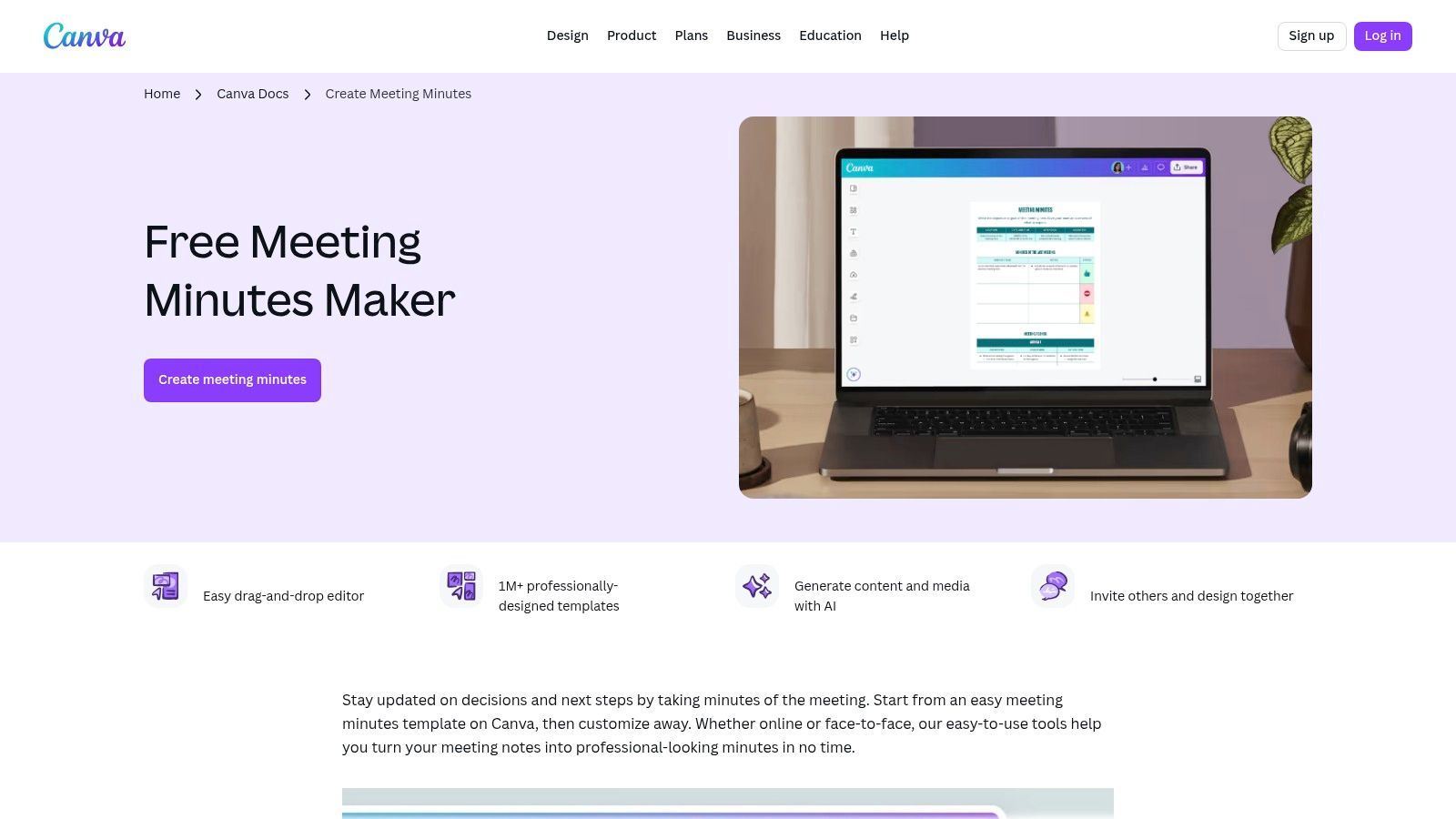
The user experience is seamless and highly interactive. You can browse countless designs, select one, and start customising it immediately. Collaboration is a key feature, enabling team members to comment or edit the document in real time. Recently, Canva has also integrated AI-assisted drafting features to help generate content faster. Once complete, your minutes can be shared with a link or exported as a high-quality PDF, which is excellent for formal record-keeping or distribution.
Key Features and Usage Tips
- Best For: Marketing teams, creative agencies, and businesses that prioritise creating visually impressive, branded documents for internal or external stakeholders.
- Pro Tip: Use Canva’s "Brand Kit" to pre-load your company’s logos, fonts, and colour palette. This allows you to apply consistent branding to any meeting minutes template with a single click.
- Pricing: Free version available with a large library. Canva Pro unlocks premium templates, assets, and advanced features like the Brand Kit.
| Pros | Cons |
|---|---|
| Fast customisation and polished, professional designs | Some premium templates and assets require Canva Pro |
| Strong branding tools for client-facing documents | Less suitable for structured, database-driven task tracking |
| Collaboration features enable multiple editors | Can feel more like a design tool than a pure productivity app |
Website: https://www.canva.com/create/meeting-minutes/
4. Notion Template Gallery/Marketplace
The Notion Template Gallery is a powerful resource for teams who want to build an integrated and searchable knowledge base from their meeting records. Unlike static documents, Notion templates create dynamic pages within a connected workspace. This is perfect for linking action items directly to project boards, decisions to team wikis, and attendees to user profiles, creating a truly interconnected information hub. The platform offers both official and community-submitted meeting minutes templates, catering to a variety of needs from simple stand-ups to complex project check-ins.
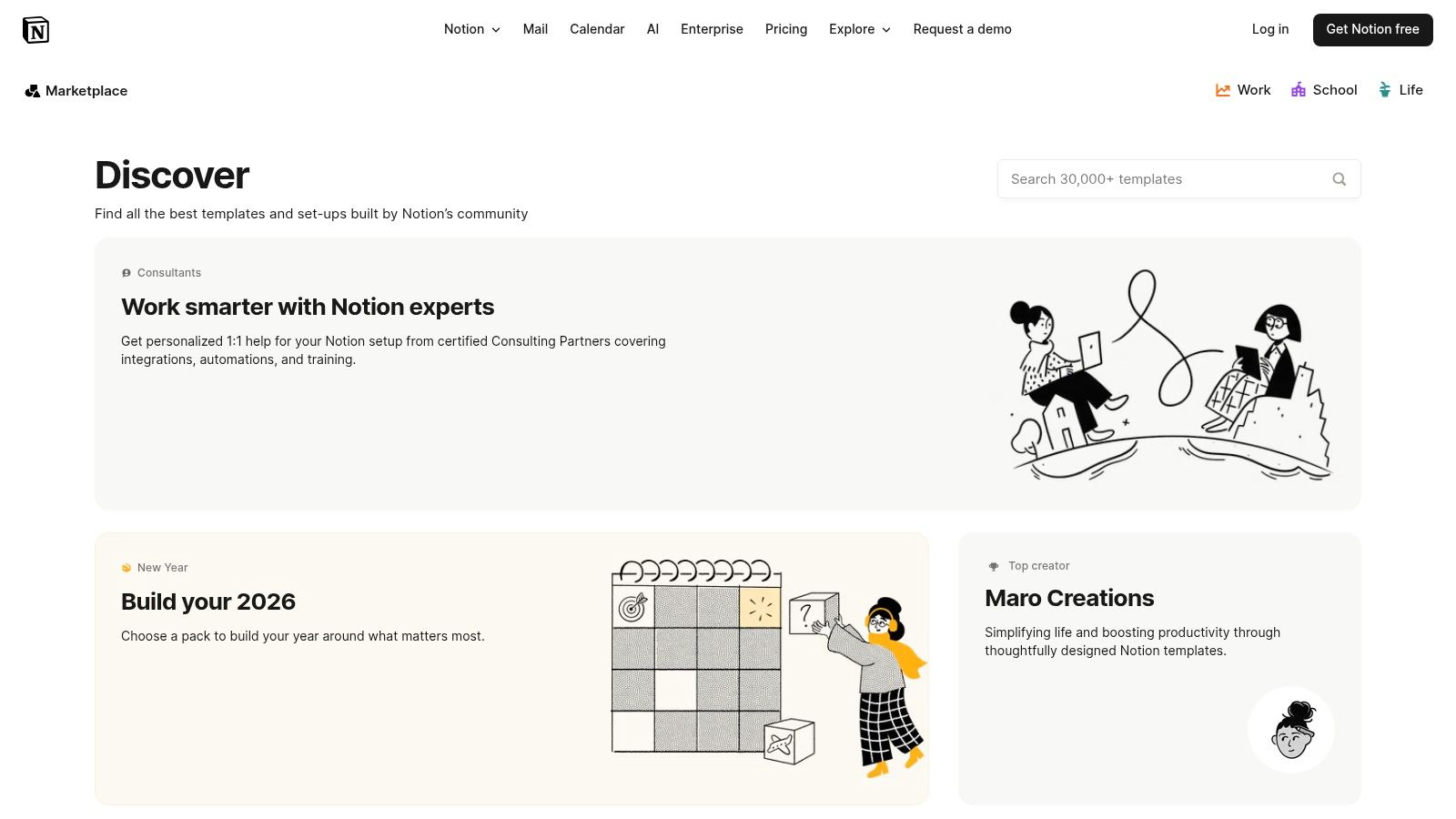
The user experience requires some familiarity with Notion's database concepts, but the payoff is immense customisation. You can add templates to your workspace with a single click and then modify them using properties, filters, and different database views to fit your exact workflow. For teams looking to move beyond simple documents, Notion offers a system that grows with them. As your documentation needs evolve, powerful Notion and Google Docs integrations can further streamline how you manage and share information across platforms.
Key Features and Usage Tips
- Best For: Tech-savvy teams and organisations already using Notion who want to create a connected, searchable archive of meeting outcomes.
- Pro Tip: Use database relations to link your "Action Items" property in the meeting minutes to a central "Tasks" database. This automatically creates a master to-do list for the entire team.
- Pricing: Many templates are free, with more advanced community-created templates available for purchase. Notion itself has a free plan with paid tiers for teams.
| Pros | Cons |
|---|---|
| Creates a searchable, long-term meeting knowledge base | Requires using Notion and understanding its database concepts |
| Highly extensible and customisable with database relations | Can have a learning curve to set up and customise advanced templates |
| Many high-quality templates are available for free | Overkill for teams needing a simple, one-off document |
A well-structured agenda is the foundation for effective minutes, and you can explore this further with a comprehensive meeting agenda template to use alongside your Notion setup.
Website: https://www.notion.so/templates
5. ClickUp Template Center
ClickUp offers a powerful, integrated solution for teams that want their meeting minutes to be more than just a static record. Its templates are designed as dynamic documents that connect directly to your project management workflow. The primary advantage is the ability to turn discussion points and action items into assignable tasks within the ClickUp ecosystem, bridging the gap between meeting and execution. This makes it an ideal choice for project-heavy teams who need to ensure accountability and track progress stemming from their discussions.
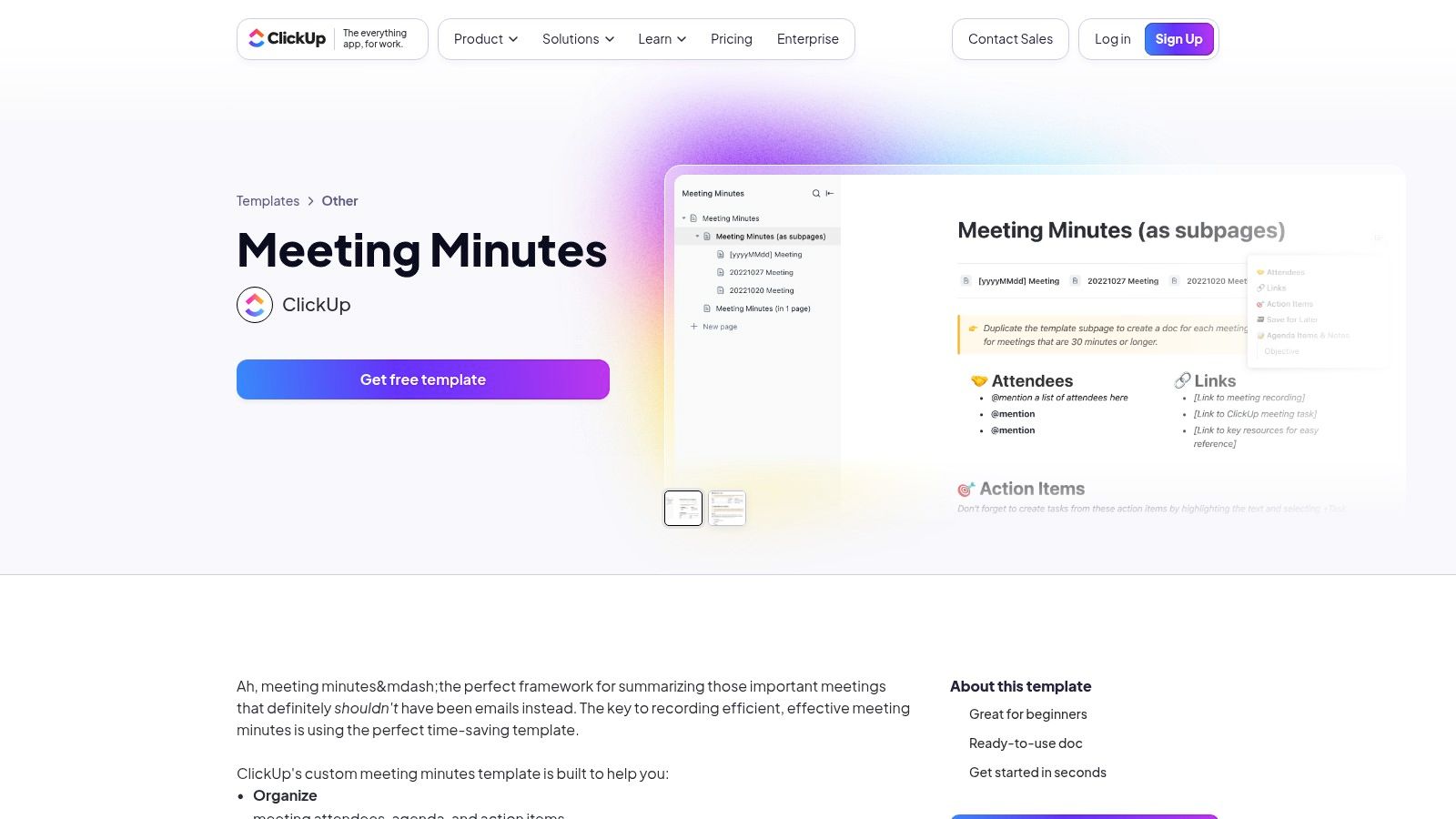
The user experience is seamless for those already using ClickUp. You can find and apply various meeting minutes templates directly within your workspace, including general formats and project-specific layouts. Customisation is straightforward, and the real power comes from its native integrations. You can tag team members, set due dates, and link documents directly from your notes, making the minutes a central hub for action. The optional AI Notetaker further enhances productivity by automating transcription and summarisation.
Key Features and Usage Tips
- Best For: Teams that manage their projects and tasks within ClickUp and want to directly link their meeting outcomes to their workflow.
- Pro Tip: Use ClickUp’s automations to create recurring meeting agendas and automatically assign pre-meeting preparation tasks to attendees.
- Pricing: Templates are free, but the full experience, including advanced features and the AI Notetaker, requires a paid ClickUp subscription.
| Pros | Cons |
|---|---|
| Strong workflow from notes to execution (tasks and assignees) | Best value if the team already uses ClickUp |
| Many template variants to suit different meeting types | AI Notetaker and some advanced features are paid add-ons |
| Integrates with project tracking and automations | Can have a steeper learning curve for users new to the platform |
Website: https://clickup.com/templates/meeting-minutes-kkmvq-15041
6. Smartsheet
Smartsheet provides a curated collection of free meeting minutes templates designed for project-focused teams that value structure and clarity. The platform stands out by offering downloadable templates for Word, Google Docs, and PDF, including specialised packs for different project meeting types. The templates are exceptionally well-organised and often come with guidance, making them ideal for teams who need more than just a blank slate. While the templates are free, they also serve as a gateway to Smartsheet's powerful work management platform.
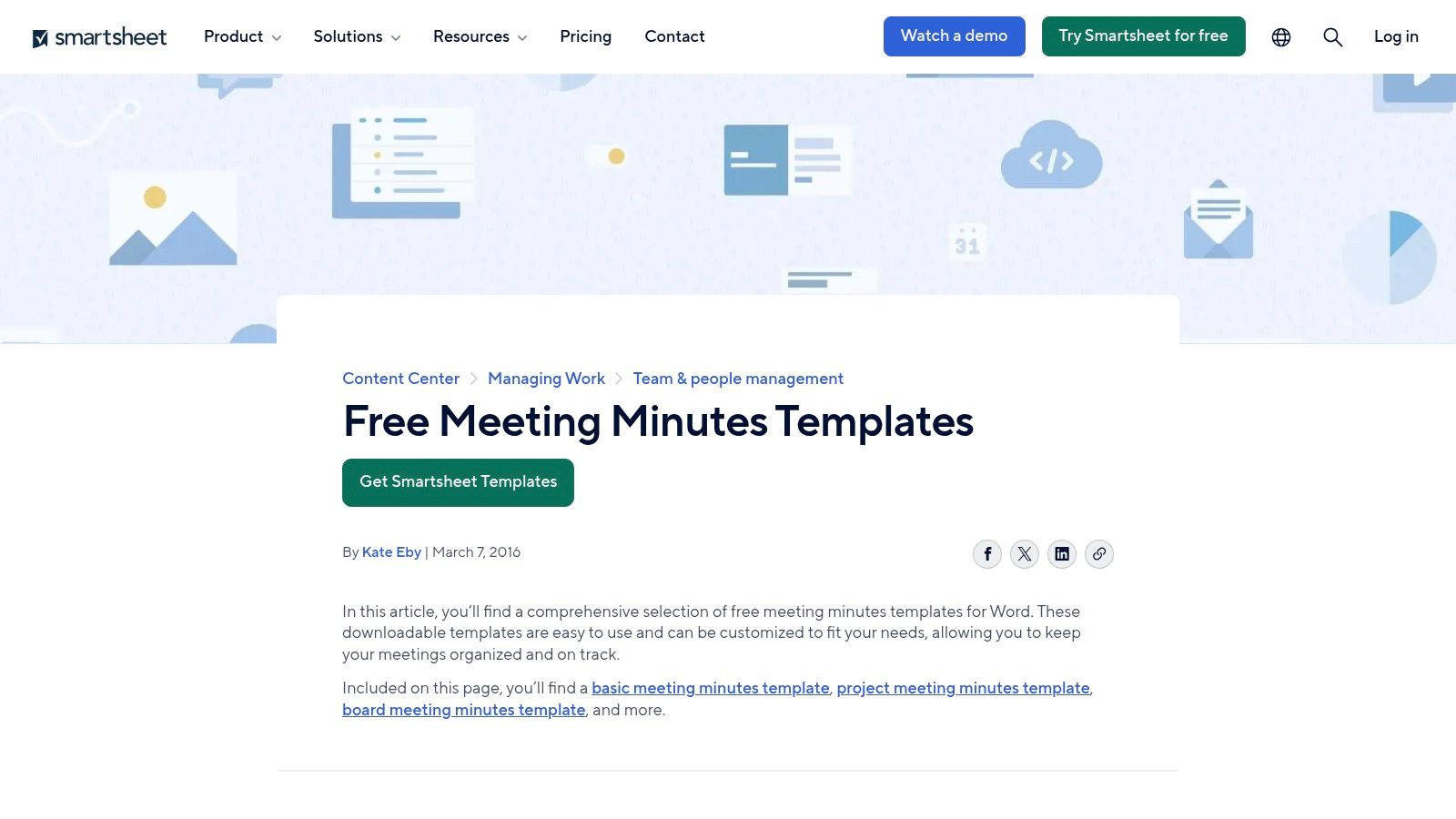
The user experience is direct and efficient. You can browse different formats like classic, detailed, and board meeting minutes, then download your chosen file with a single click. There's no requirement to sign up to access the static templates. This makes it a great resource for quickly grabbing a professional format. For teams that want to move beyond static documents, these templates can be integrated into the paid Smartsheet platform, turning your minutes into actionable, trackable tasks within a larger project plan.
Key Features and Usage Tips
- Best For: Project managers and teams needing structured, downloadable templates with the option to scale into a full work management system.
- Pro Tip: Download the "Project Meeting Minutes" pack, which includes multiple variations tailored for kick-offs, status updates, and wrap-up meetings.
- Pricing: The templates are free to download. Using them within the Smartsheet platform for integrated features requires a paid subscription after the trial period.
| Pros | Cons |
|---|---|
| Well-structured templates tailored to specific uses | Templates are static files unless you use the Smartsheet platform |
| Excellent documentation and multiple format options | Advanced, integrated features are locked behind a paid plan |
| Completely free to download and use templates | The platform itself has a learning curve for new users |
To ensure your document captures every critical detail, explore a detailed minutes of a meeting template that complements Smartsheet’s structured approach.
Website: https://www.smartsheet.com/free-meeting-minutes-templates-microsoft-word
7. Atlassian Confluence Templates
For teams embedded in the Atlassian ecosystem, Confluence provides powerful, integrated meeting notes templates that go beyond simple documentation. Its core strength lies in turning meeting discussions into a searchable, actionable knowledge base. Templates are designed to seamlessly integrate with other Atlassian products like Jira, making it ideal for software development, product, and engineering teams who need to link discussions directly to project tasks and epics. This traceability ensures decisions and action items don't get lost after the meeting ends.
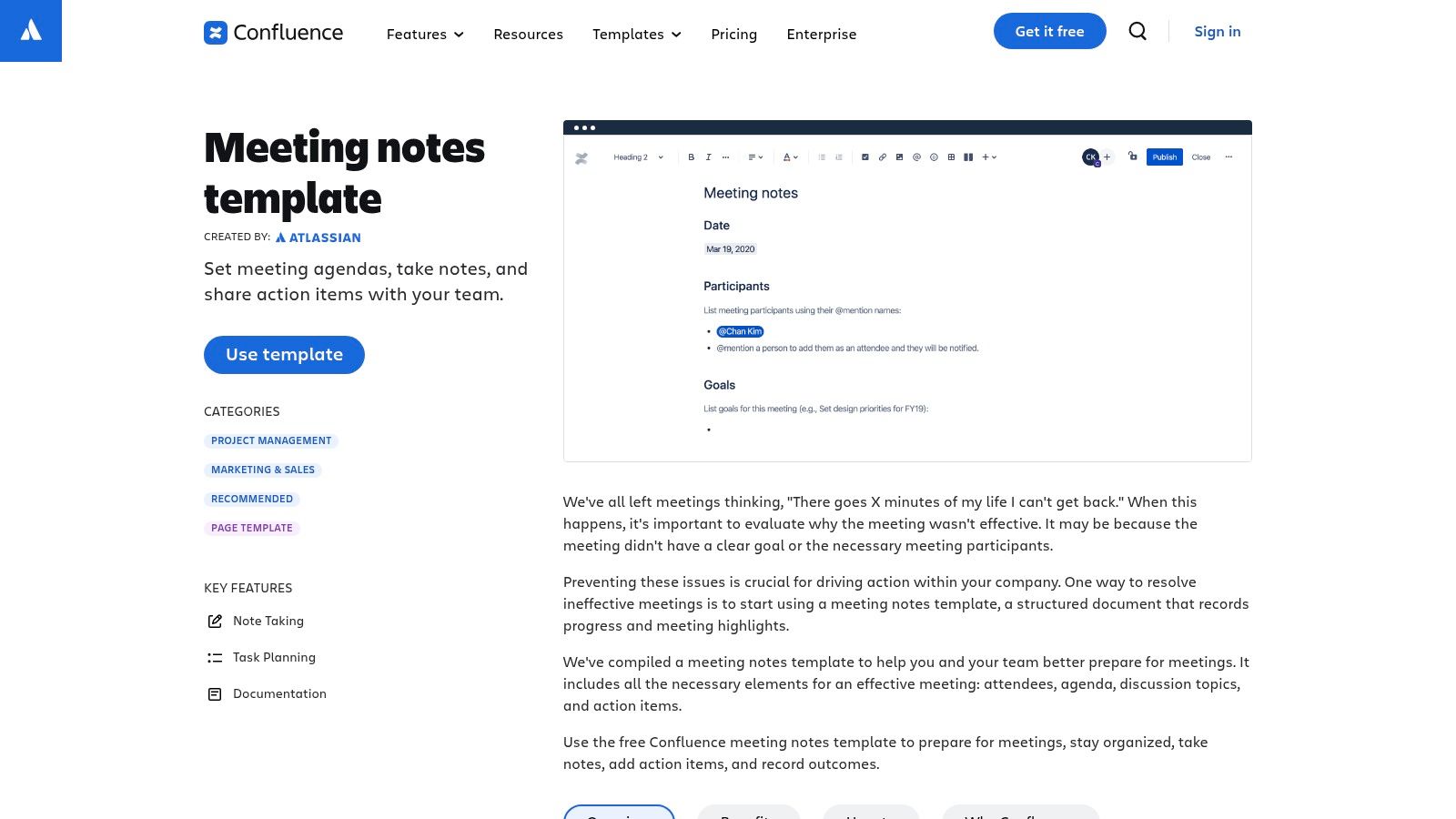
The user experience is native to the Confluence interface, allowing you to create a new meeting page from a template in just a few clicks. You can @mention attendees to notify them, assign action items that appear in their task lists, and use macros to highlight key decisions. This creates a living document connected to your team's workflow. To further enhance meeting efficiency, consider leveraging AI powered project management tools that can automate follow-ups and documentation, complementing the collaborative framework Confluence provides.
Key Features and Usage Tips
- Best For: Product, engineering, and IT teams already using Confluence and Jira for project management and documentation.
- Pro Tip: Create a recurring meeting template for your regular ceremonies (like stand-ups or retrospectives) and link it to a parent page to keep all related notes organised in one place.
- Pricing: Free for up to 10 users; paid plans are required for larger teams and advanced features.
| Pros | Cons |
|---|---|
| Deep integration with Jira and the Atlassian suite | Requires a Confluence subscription to use |
| Turns minutes into a searchable, traceable knowledge | Can be overly complex for non-technical teams |
| Excellent for assigning and tracking action items | Best features are part of the broader Confluence tool |
Website: https://www.atlassian.com/software/confluence/templates/meeting-notes
8. Miro Template Library and Miroverse
Miro offers a dynamic and visual approach to meeting documentation, making it a standout choice for workshops, brainstorming sessions, and agile teams. Its templates for meeting notes and summaries are built for its infinite whiteboard canvas, moving beyond traditional linear documents. The core advantage is real-time, visual collaboration, allowing teams to capture ideas, decisions, and action items using sticky notes, mind maps, and diagrams. This is ideal for hybrid meetings where engaging both in-person and remote participants is crucial.
The user experience is highly interactive. You select a template from the library or the community-driven Miroverse and instantly start collaborating. Participants can add content simultaneously, making the process of creating meeting minutes a shared activity rather than a solitary task. While the free plan is generous, larger boards and advanced features require a paid subscription. For teams that value creativity and visual organisation, Miro provides an unparalleled environment for turning chaotic discussions into structured, actionable outcomes.
Key Features and Usage Tips
- Best For: Creative teams, agile development sprints, and workshop facilitators who need a flexible, visual platform for collaborative note-taking.
- Pro Tip: Use the Notes panel alongside the main whiteboard. The whiteboard is great for freeform ideas, while the Notes panel provides a structured space to formalise the official meeting minutes.
- Pricing: A Free plan is available with some limitations; paid plans unlock advanced features, unlimited boards, and more integrations.
| Pros | Cons |
|---|---|
| Excellent for visual facilitation and interactive meetings | Not ideal for formal minutes requiring rigid formatting |
| Powerful real-time collaboration features | Advanced tools and unlimited boards require a paid plan |
| A vast library of community-created templates (Miroverse) | Can have a steeper learning curve than standard document editors |
Website: https://miro.com/templates/meeting-notes/
9. Envato Elements
Envato Elements is a subscription-based marketplace for teams and individuals seeking professionally designed, high-impact documents. It stands out by offering meeting minutes templates that are print-ready and highly brandable, created by professional designers. The platform is ideal for when your minutes need to be published, shared with external stakeholders, or presented in a formal context where visual quality is paramount. Templates are available in multiple formats, including Word, InDesign, and Canva, providing significant creative flexibility.
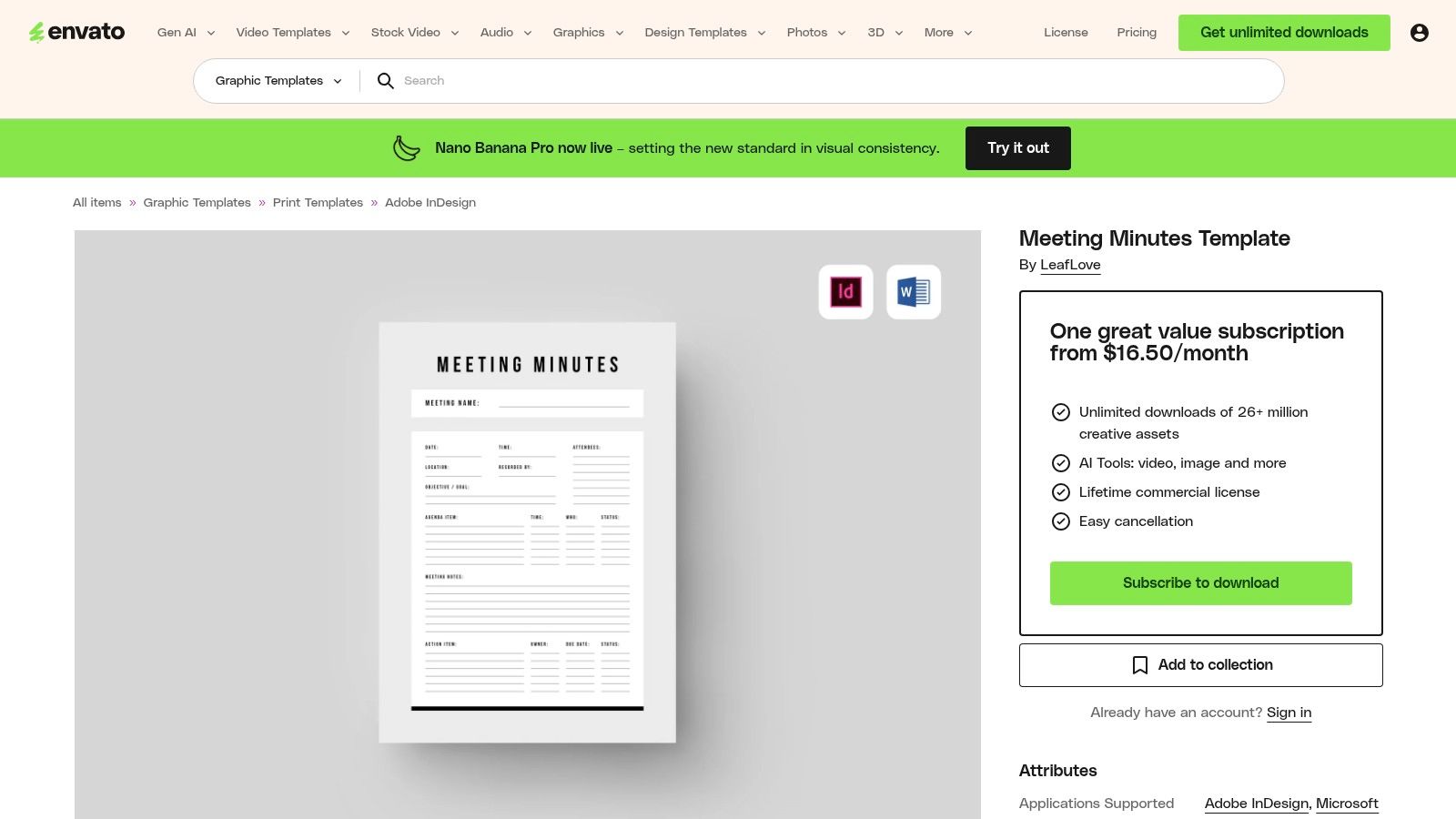
The user experience involves browsing a vast library of creative assets, where a single subscription grants unlimited downloads. This model is perfect for creative agencies, marketing teams, or businesses that regularly produce high-quality documents and presentations. Each template download typically includes documentation and all associated assets, ensuring you can customise it to perfection. The included commercial licence provides peace of mind for business use, making it a reliable resource for polished, professional output.
Key Features and Usage Tips
- Best For: Creative professionals and businesses needing top-tier, brandable designs with a commercial licence.
- Pro Tip: Use an Envato template as a master document in InDesign or Canva. Customise it with your company's branding once, then reuse it for all future meetings to maintain consistency.
- Pricing: Requires a monthly or annual subscription for unlimited access.
| Pros | Cons |
|---|---|
| High-quality, polished layouts suitable for publishable use | Subscription required, which can be costly for one-off needs |
| Licence covers repeated commercial use | May be overkill if a simple, functional template is all you need |
| Large library of templates and other design assets | Costs can add up if only a few templates are used |
Website: https://elements.envato.com/meeting-minutes-template-U7VHKEJ
10. Template.net
Template.net offers one of the most extensive catalogues of meeting minutes templates online, catering to an impressive array of niche industries and specific meeting types. Its key strength is variety, providing specialised templates for everything from board and committee meetings to more specific contexts like schools, churches, and non-profits. This makes it an invaluable resource for organisations looking for documents pre-formatted for their unique needs, available in Word, Google Docs, Excel, and PDF formats.
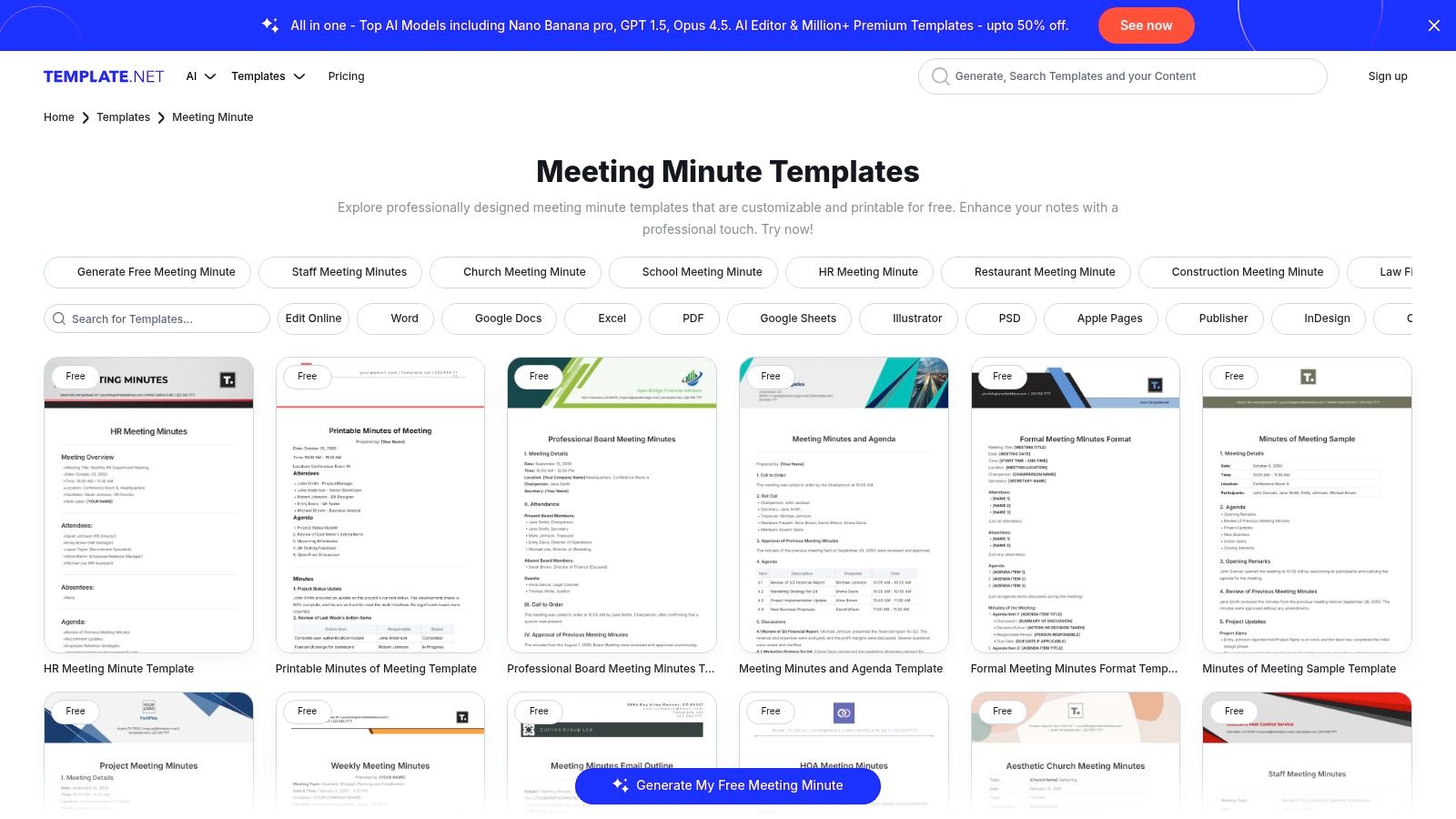
The user experience is built around quick discovery and download. You can browse categories, preview designs, and download the format you need with just a few clicks. While many templates are free, the platform operates on a freemium model, meaning some of the more advanced or specialised designs require a subscription for access. The quality can vary between templates, so it is wise to preview your selection carefully before committing to a premium plan.
Key Features and Usage Tips
- Best For: Organisations and teams needing industry-specific or niche meeting minute templates that go beyond standard corporate formats.
- Pro Tip: Use the search filters to narrow down options by file format (e.g., Google Docs) to quickly find an editable template compatible with your team's software.
- Pricing: A mix of free templates and premium options available through a subscription.
| Pros | Cons |
|---|---|
| Broad variety covering many niche use cases | Premium items require a subscription or account |
| Quick access to multiple file formats | Quality and formatting can vary across templates |
| Good for industry-specific templates | Free selection can feel limited compared to premium |
Website: https://www.template.net/editable/meeting-minutes
11. Vertex42
Vertex42 has built a reputation for providing high-quality, professional office templates, and its collection of meeting minutes templates is no exception. This platform is an excellent choice for users seeking clean, functional, and easily printable documents for Word and Google Docs. It stands out by offering practical guidance alongside its templates, including tips on following Robert's Rules of Order, making it particularly useful for formal board meetings or committees that require structured record-keeping. The focus here is on utility and clarity over flashy design.
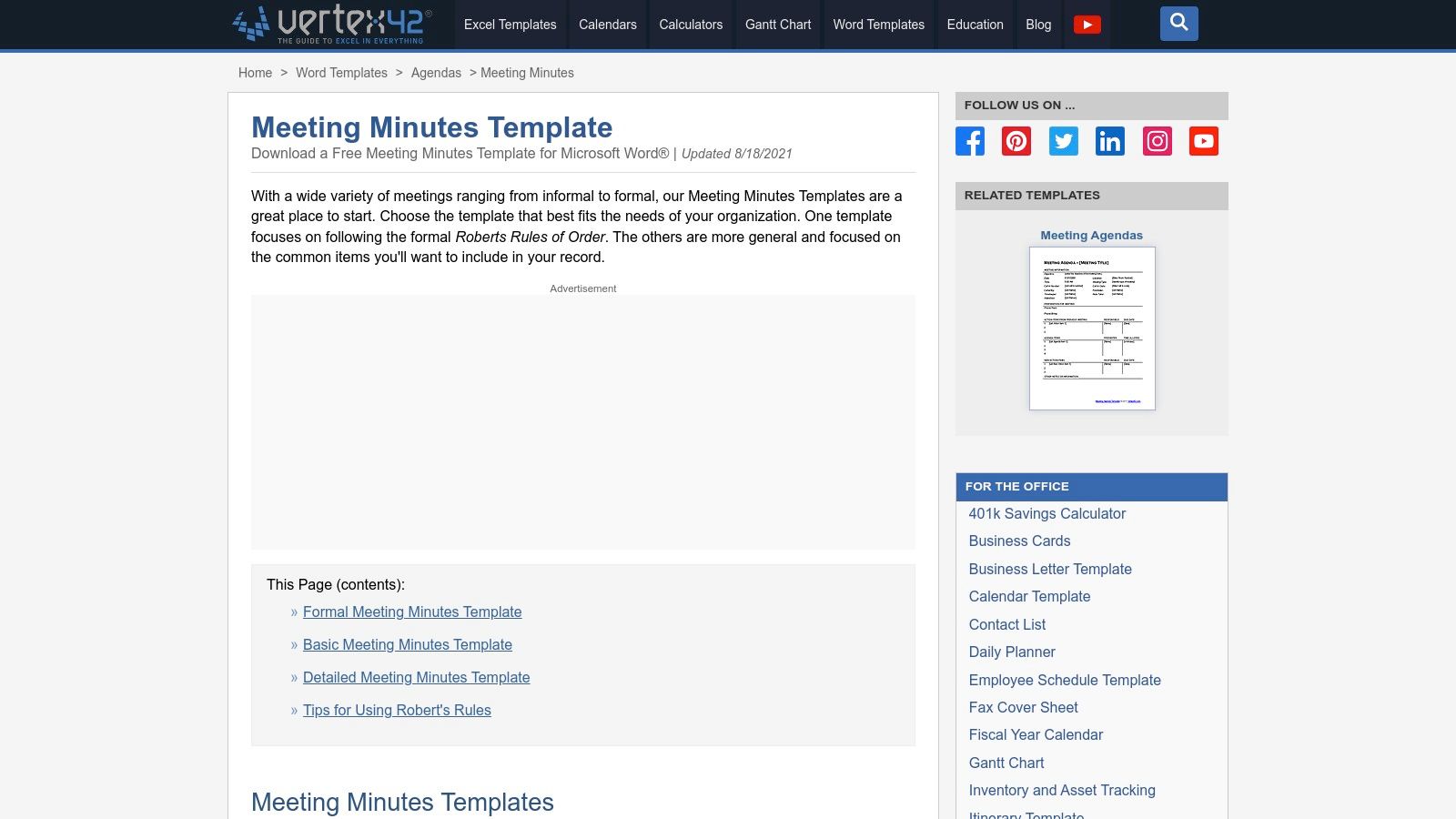
The user experience is direct and simple. You visit the page, read the descriptions for different formats (like basic, formal, or detailed), and download the one you need with a single click. The Word templates are theme-enabled, which allows for quick customisation to match company branding without much effort. Because the templates are standard documents, they can be easily shared via email or cloud storage, offering a straightforward solution without the need for new software or complex integrations.
Key Features and Usage Tips
- Best For: Individuals and organisations needing reliable, free meeting minutes templates for formal settings with a focus on print-readiness.
- Pro Tip: Download the theme-enabled Word version and set up your company’s colours and fonts once. You can then save it as a custom template for consistent branding across all future meetings.
- Pricing: Free for personal use. A site licence is available for business use.
| Pros | Cons |
|---|---|
| Longstanding reputation for quality office templates | Limited design variety compared to design-focused platforms |
| Free templates suitable for formal and board minutes | Primarily static templates with no task management integration |
| Clear, simple designs that are easy to customise | Feels more traditional than modern, collaborative tools |
Website: https://www.vertex42.com/WordTemplates/meeting-minutes.html
12. Etsy (Digital Downloads Marketplace)
Etsy offers a surprisingly vast marketplace for creative and niche meeting minutes templates, making it an ideal choice for those seeking a unique or highly specialised design. Unlike corporate template libraries, Etsy features thousands of independent creators offering instantly downloadable files for Word, Google Docs, PDFs, and even digital note-taking apps like GoodNotes and reMarkable. This platform is perfect for individuals or small teams looking for an affordable, one-time purchase with a more personalised aesthetic.
The user experience is centred around browsing and filtering a massive collection of digital products. You can find everything from minimalist designs to colourful, tracker-style meeting notes. Since quality can vary, it is crucial to check seller ratings and reviews before purchasing. Once bought, the files are available for immediate download, providing a quick and easy solution for anyone needing a specific template right away.
Key Features and Usage Tips
- Best For: Small businesses, non-profits, or individuals wanting low-cost, visually unique, or device-specific templates (e.g., for e-ink tablets).
- Pro Tip: Use specific search terms like "board meeting minutes for reMarkable" or "non-profit committee notes template" to find highly specialised options that meet your exact needs.
- Pricing: Varies by seller, but most templates are very affordable, often priced under €5.
| Pros | Cons |
|---|---|
| Extremely low-cost options for one-off needs | Quality and support vary significantly from seller to seller |
| Huge variety, including niche and specialty templates | Licence terms can differ; buyers must read listing details |
| Instant digital download after purchase | No centralised quality control or standardised format |
Website: https://www.etsy.com/market/meeting_minutes_template
Top 12 Meeting Minutes Templates Comparison
| Template | Core features | UX & Quality ★ | Price / Value 💰 | Target 👥 | Unique / Standout ✨🏆 |
|---|---|---|---|---|---|
| Microsoft Create (Office Templates) | Ready-to-edit Word/Excel templates, theme controls | ★★★★ Familiar MS Office editing; offline/online | 💰 Free (MS account); some advanced via MS365 | 👥 Teams using Microsoft 365 | ✨ Official wide library, 🏆 seamless Office interoperability |
| Google Docs (Meeting notes) | Meeting notes building block, Calendar/Gmail integration, real-time co-edit | ★★★★ Real-time co-editing, simple formatting | 💰 Free / included in Workspace | 👥 Collaborative teams, Google Workspace users | ✨ Auto-insert Calendar event & email minutes, 🏆 instant collaboration |
| Canva | Drag-and-drop templates, Brand Kit, AI-assisted drafting, exports | ★★★★ Polished, design-first UX | 💰 Freemium (Pro for premium assets) | 👥 Marketing/client-facing teams | ✨ Brandable, fast visual customization, 🏆 professional designs |
| Notion Template Gallery | Templates with relational DBs, filters, views, reviews | ★★★★ Highly extensible; steeper learning curve | 💰 Many free templates; Notion plans optional | 👥 Teams needing searchable, linked records | ✨ Relational databases for agendas/tasks, 🏆 long-term knowledge base |
| ClickUp Template Center | Meeting templates that convert to tasks, automations, AI Notetaker | ★★★★ Strong workflow to execution | 💰 Freemium; paid add-ons for AI/advanced features | 👥 Project teams using ClickUp | ✨ Notes→tasks automation, 🏆 direct task integration |
| Smartsheet | Downloadable Word/Sheets templates, project packs, guidance | ★★★★ Structured, practical templates | 💰 Free downloads; paid platform for integrated features | 👥 Project managers & PMOs | ✨ Project-specific packs & guidance, 🏆 well-structured templates |
| Atlassian Confluence Templates | Meeting notes, recurring templates, macros, Jira links | ★★★★ Enterprise-ready, searchable history | 💰 Free tier; paid for larger teams | 👥 Engineering/product teams on Atlassian | ✨ Jira integrations & decision traceability, 🏆 team knowledge base |
| Miro Template Library & Miroverse | Visual meeting notes, whiteboard templates, real-time board collab | ★★★★ Excellent for workshops; visual-first | 💰 Freemium; paid for larger boards/features | 👥 Facilitators, creative & hybrid teams | ✨ Visual facilitation + community templates, 🏆 best for whiteboarding |
| Envato Elements | Professional, print-ready templates in multiple formats, licensing | ★★★★ High-quality, design-forward | 💰 Subscription (unlimited downloads) | 👥 Teams needing publishable/brandable templates | ✨ Commercial licensing & polished layouts, 🏆 studio-quality assets |
| Template.net | Large catalog by meeting type, multi-format downloads | ★★★★ Broad selection; quality varies | 💰 Mix of free/premium; subscription available | 👥 Organizations needing niche/industry templates | ✨ Wide niche coverage & quick downloads, 🏆 volume of templates |
| Vertex42 | Clean Word/Google Docs templates, guidance (Robert’s Rules) | ★★★★ Simple, trusted, print-ready | 💰 Free for personal use | 👥 Formal meetings, boards, nonprofits | ✨ Formal meeting guidance, 🏆 reliable classic templates |
| Etsy (Digital Downloads) | Marketplace of device-specific and niche templates, instant delivery | ★★★ Variable by seller; instant access | 💰 Low-cost per item (often <$5) | 👥 Buyers seeking cheap, niche or device files | ✨ Huge niche/device variety, 🏆 cheapest one-off options |
From Template to Transcript: Automate Your Meeting Workflow
We have explored a comprehensive collection of resources for finding the perfect meeting minutes templates, from the integrated solutions within Google Docs and Microsoft Create to the highly visual and collaborative platforms like Miro and ClickUp. Each tool offers a unique approach, whether you need a formal, structured document for board meetings from Template.net or a dynamic, database-driven system from Notion.
The central lesson is clear: there is no single "best" template. The ideal choice depends entirely on your team's specific context, culture, and workflow. A fast-paced development team will benefit from an action-oriented template in Atlassian Confluence, while a marketing team might prefer the creative and visual layout of a Canva template for their brainstorming sessions. The key is to move beyond simply downloading the first template you find and, instead, strategically select one that aligns with your meeting's objectives.
Key Takeaways for Choosing Your Template
To summarise, the journey from chaotic note-taking to streamlined meeting documentation involves a few critical steps. First, define the purpose of your meeting. Is it for decision-making, brainstorming, status updates, or formal record-keeping? The answer will immediately narrow down your template options.
Second, consider your team’s tools. The path of least resistance is often the most effective. If your organisation already operates within the Google Workspace or Microsoft 365 ecosystem, starting with their native templates is a logical and efficient choice. Introducing a new platform requires buy-in and a learning curve, so make sure the benefits are significant.
Finally, don't be afraid to customise. The templates we've showcased are starting points, not rigid structures. The most effective meeting minutes templates are those that evolve with your team. Add, remove, or reorganise sections to better suit your meeting flow. A template should serve your process, not the other way around.
Beyond the Template: The Power of Automated Transcription
Choosing the right template solves the problem of how to organise your meeting notes. The next evolutionary step is to revolutionise how you capture them. Manually typing minutes while trying to actively participate in a discussion is a recipe for missed details and divided attention. This is where modern technology provides a powerful solution.
By simply recording your virtual meetings, you can shift your focus from transcription to facilitation and contribution. After the call, a tool like an AI-powered video transcriber can do the heavy lifting for you. This workflow offers several profound benefits:
- Unmatched Accuracy: Transcripts capture every word, ensuring that quotes, decisions, and nuanced points are recorded precisely, free from human error or biased summarisation.
- Enhanced Focus: When nobody is burdened with the role of a frantic minute-taker, everyone can engage more deeply in the conversation, leading to more productive outcomes.
- Improved Accessibility: A full transcript provides a valuable resource for team members who were unable to attend, as well as for those who are deaf, hard of hearing, or who process information better by reading.
- A Searchable Archive: Your collection of transcripts becomes a searchable knowledge base, allowing anyone to quickly find specific information from past meetings without having to re-watch entire recordings.
By combining a well-chosen template with an automated transcription process, you transform meeting minutes from a tedious administrative chore into a strategic organisational asset. This modern approach not only saves countless hours but also creates a more accurate, accessible, and valuable record of your team's collaborative efforts. You're not just documenting what was said; you're building a reliable foundation for future action and decision-making.
Ready to stop typing and start focusing? With YoutubeToText, you can automatically transcribe your recorded video meetings into accurate, easy-to-read text. Simply provide the link to your unlisted meeting recording and let our AI create the perfect source material for your new meeting minutes templates. Try it today and revolutionise your meeting workflow at YoutubeToText.