Learn how to convert audio youtube into text, MP3s, and subtitles with practical steps and tips for quick content repurposing.
How to convert audio youtube: Turn Youtube videos into text and MP3
Turning the audio from a Youtube video into text is the single fastest way to make your content searchable, accessible, and easy to repurpose. This guide will solve the problem of "trapped" content, showing you how to transform spoken words into a written format, unlocking your video's full potential for everything from productivity boosts to creating more accessible content.
Why Bother Converting Youtube Audio to Text?
It’s a common story: creators pour countless hours into producing a fantastic video, but all that value remains locked inside the video file itself. By converting the audio from that Youtube video, you're doing much more than just getting a script. You're creating a powerful, versatile asset that solves real problems.
The most obvious win is a huge boost in discoverability. Search engines like Google are incredible at indexing text, but they can’t exactly “watch” your video to figure out what it’s about. A transcript makes every single spoken word indexable, solving the problem of poor video SEO and drastically improving your video’s odds of showing up for relevant search queries.
Opening Up Your Content to a Wider Audience
Beyond just pleasing the search engines, transcripts and subtitles make your content available to a much broader audience. This solves the critical issue of accessibility, opening your content to people with hearing impairments who need text to engage. It also helps the millions who watch videos with the sound off while on public transport or in a quiet office.
Think about these real-world problems that audio conversion solves:
- For Students and Researchers: Picture transcribing a two-hour university lecture in minutes. This solves the problem of inefficient studying. The text instantly becomes a searchable document, making it easy to pull specific quotes, create study guides, or accurately cite sources without having to scrub through the entire video again.
- For Content and Marketing Teams: A team could take one webinar and spin it into a detailed blog post, a dozen social media snippets, and an email newsletter. This kind of content repurposing solves the challenge of a limited content budget, saving massive amounts of time and maximising the return on the initial video production.
- For Journalists and Podcasters: Pulling the perfect quote from an interview is infinitely faster with a transcript. It solves the problem of inaccuracy and speeds up the entire writing and editing process.
The Growing Demand for Accessible Content
This isn't just a niche need; it's becoming essential, especially in highly engaged digital markets. In the Netherlands, for instance, Youtube's popularity has skyrocketed, hitting over 9 million users in 2023. That’s an 87.7% penetration rate. This incredible growth is fuelling demand for tools that can quickly convert audio from Dutch-language videos into usable text to improve productivity and accessibility.
Leaving your video's content in an audio-only format essentially makes it invisible to search engines and off-limits to a huge slice of your potential audience. Converting that audio to text is the key to unlocking its full value.
Ultimately, when you transcribe a video from Youtube, you’re making your content work much harder for you. It’s a simple but foundational step towards a smarter, more inclusive, and more efficient content strategy.
The Easiest Way: The One-Click Conversion Method
Let's be honest, when you need to pull audio from a Youtube video, the last thing you want is a multi-step process involving clunky software or bouncing between different websites. You just want the problem solved. The most straightforward approach uses a single tool that handles everything from start to finish, turning what could be a complicated chore into a simple copy-and-paste.
Instead of downloading an audio file just to upload it somewhere else, you can just grab the Youtube URL. A good tool will do the heavy lifting for you, delivering a full set of content in minutes.
From a Youtube Link to All the Content You Need
The whole idea is built around speed and simplicity. You start with a Youtube link, and with one click, the platform gets to work, fetching the video and processing the audio automatically. In just a few moments, you get everything you need in one organised place, solving the problem of time-consuming manual work.
Here’s a look at how clean that first step can be with a tool like YoutubeToText.
As you can see, the interface is incredibly minimalist. All it asks for is the video link to get started. This completely removes the technical friction, so anyone can do it, regardless of their tech skills.
But the real magic isn't just getting the audio; it's what the tool does with it. You don't just get a wall of text. You get several useful formats, all ready to go:
- A Full Transcript: Every single word spoken in the video, laid out in an editable text format for content repurposing.
- Subtitle Files: Ready-to-use SRT and VTT files, complete with accurate timestamps, to improve accessibility.
- An AI-Generated Summary: A concise overview that highlights the main ideas and key takeaways, boosting your productivity.
This all-in-one approach is a massive time-saver. Think about a student needing to revise from a three-hour lecture. Instead of spending a day manually transcribing it, they can just paste the link and have a complete set of searchable notes in less than five minutes.
A Real-World Example
Let's say you're a marketer tasked with analysing a competitor's hour-long webinar. You need to pull out their key product features and marketing messages. The old-school way would mean re-watching the video multiple times, constantly pausing to jot down notes, and almost certainly missing some important details along the way.
With a one-click tool, the entire workflow changes. You paste the webinar link and instantly get an AI summary that spells out the core arguments. From there, you can use the searchable transcript to find every single mention of a specific feature or pricing point. This saves hours of painstaking manual labour. It’s a huge leap forward from a standard audio file to text converter because it cuts out the download-then-upload step completely.
For anyone who regularly needs to get content out of Youtube videos, this method offers a killer combination of speed, accuracy, and convenience. It lets you focus on using the content, not wrestling with how to extract it. It’s the ideal way to create blog posts, social media updates, research notes, or video subtitles without any technical headaches.
Taking a More Hands-On Approach to Audio Extraction and Transcription
While one-click tools are incredibly fast, sometimes you need or want a bit more control. Maybe you prefer a specific transcription service or need to edit the audio file itself before converting it. This is where the manual approach comes in.
This method breaks the process down into two distinct stages, using different tools for each part. It's a bit more involved, but it gives you full oversight.
The Two-Step Manual Workflow
First, you need to get the audio out of the video. This usually means finding a reliable online Youtube to MP3 converter. You’ll grab the video's URL, paste it into the converter, and download the MP3 file to your computer.
With the audio file saved, you move on to part two: transcription. You’ll take that MP3 and upload it to a separate transcription service. This platform will then do the work of converting the speech into text. We cover the first part of this process in more detail in our guide on how to extract sound from Youtube.
This diagram gives a simple, high-level overview of the journey from a Youtube link to a downloadable file.
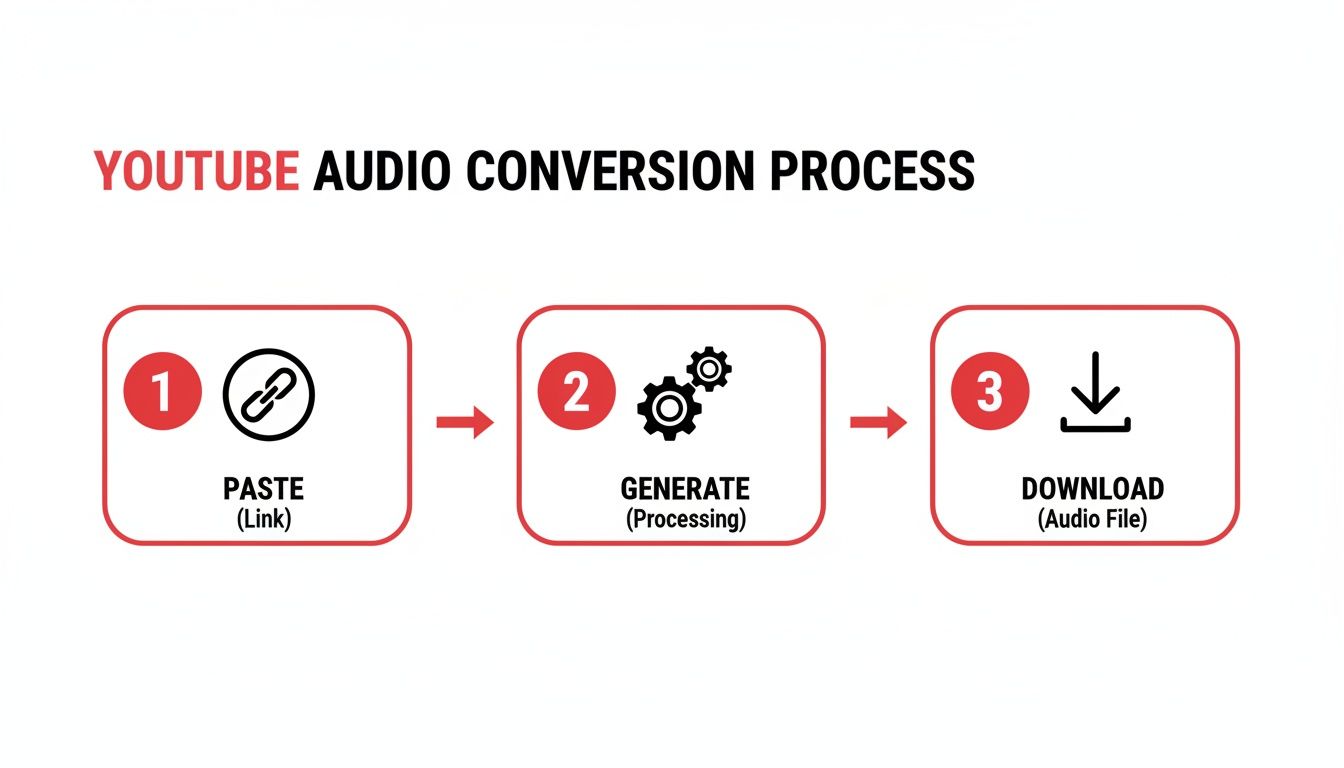
Whether you use one tool or several, these are the fundamental actions you'll take.
Method Comparison: Automated vs. Manual Conversion
So, how do these two methods really stack up against each other? Here's a quick breakdown to help you decide which approach fits your needs best.
| Feature | Automated Tool (e.g., YoutubeToText) | Manual Method (Multiple Tools) |
|---|---|---|
| Workflow | Single step: paste link, get text. | Multiple steps: download MP3, then upload for transcription. |
| Speed | Very fast, often a matter of seconds. | Slower, depends on download/upload speeds and tool usage. |
| Convenience | High. All-in-one process with no file management. | Lower. Requires juggling different websites and files. |
| Security | Generally safer, uses a single, verified platform. | Potential risks from ads and pop-ups on free converter sites. |
| Control | Less granular control over intermediate steps. | Full control over the audio file before transcription. |
| Best For | Efficiency, bulk processing, and quick results. | Custom workflows, offline audio editing, specific tool preference. |
Ultimately, the choice depends on what you value most.
Weighing Your Time and Effort
The manual method absolutely works, but it's important to be honest about the trade-offs. Juggling different websites can be a hassle, and many free converter sites are cluttered with aggressive ads and pop-ups, which can pose a security risk. It also just takes more time, especially if you have more than one video to process.
An integrated tool like YoutubeToText automates the entire sequence. You provide the link, and it delivers the final text, subtitles, or summary directly. No middle steps, no extra downloads.
The key difference really boils down to efficiency. The manual route gives you fine-tuned control, but the time you save with an all-in-one tool is often massive, transforming a multi-stage headache into a single, smooth action.
If you need that deep level of customisation and don't mind the extra legwork, the manual path is a perfectly valid option. For most people who just want to get from video to text quickly and safely, an integrated platform is the far more direct and sensible choice.
Turning Your Transcript into Polished Content
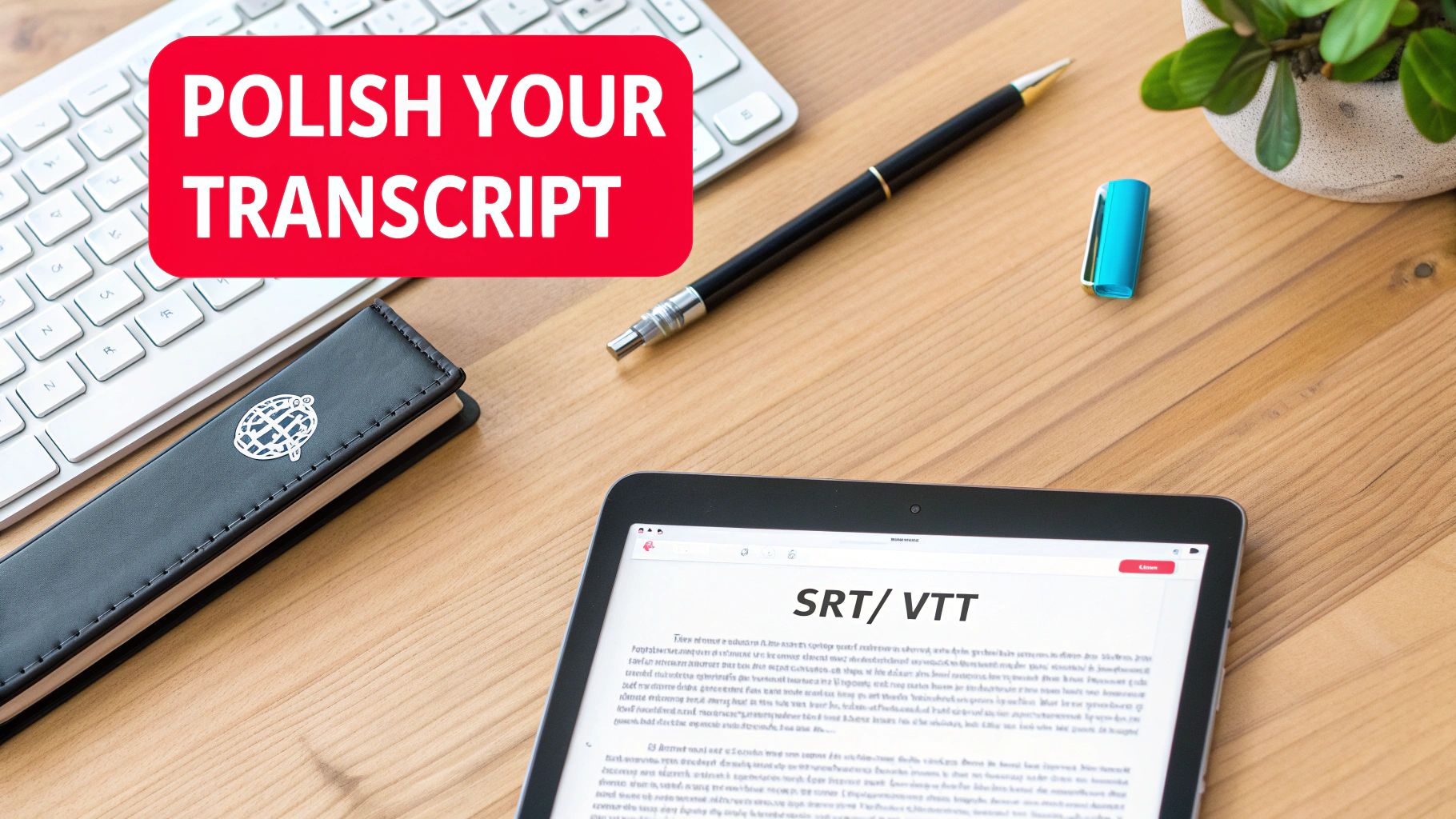
So you've managed to convert Youtube audio into a block of text. Great! But that raw transcript is just the starting point. The real magic happens when you clean it up and put it to work. An unedited transcript can be a bit of a mess—clunky and tough to read—but a few simple tweaks can turn it into a seriously valuable asset for repurposing or improving accessibility.
First things first: give it a quick accuracy check. AI transcription has come a long way, but it's not perfect. It often stumbles over specific names, niche jargon, or brand terms. A quick scan to fix these little mistakes is all it takes to make sure your final content looks professional and makes sense.
After that, focus on readability. Adding proper punctuation and speaker labels can completely transform a wall of text into a clean, scannable conversation. It’s a small step that makes a huge difference for anyone reading it.
Creating Subtitles for Greater Accessibility
One of the best things you can do with a polished transcript is turn it into subtitles. This solves a major accessibility problem. While a plain text file is fine for reading, a proper subtitle file is what video players need to display text on screen. The secret ingredient? Timestamps.
- Plain Transcript (.txt): This is just the spoken words. It’s perfect for turning a video into a blog post, article, or a set of notes, solving the content repurposing challenge.
- Subtitle File (SRT/VTT): This file breaks the dialogue into short, timed chunks. Each line has a precise start and end time, telling the player exactly when to show that text.
Creating these files makes your videos instantly accessible to a much bigger audience. Think about people with hearing impairments or anyone watching with the sound off (which is a lot of us these days). This isn't just a nice-to-have anymore. Consider the Netherlands, where Youtube Premium is booming as part of a global surge to 125 million subscribers. These users expect a top-tier experience. With Youtube reaching 87.7% of the Dutch population, the demand for accessible content with accurate subtitles is massive. You can dig into more Youtube user trends on GlobalMediaInsight.com.
Leveraging AI Summaries for Quick Insights
Sometimes you don't need every single word from a video; you just need the highlights. That’s where AI summaries are a game-changer for productivity. After you convert audio from a Youtube video, a summary tool can boil down an hour-long discussion into a few key paragraphs.
An AI summary is like having a research assistant who watches the entire video for you and hands you the key takeaways. It's an incredible productivity tool for pulling out action items, main arguments, and important quotes.
Let’s say you just transcribed a detailed webinar or a lengthy interview. Instead of wading through the entire text again, an AI summary can help you:
- Identify Core Themes: Instantly see the main topics covered without reading everything.
- Extract Action Items: Easily pull out tasks or recommendations from a meeting or tutorial.
- Draft Social Media Content: Use the summary as a launchpad for writing posts that tease the video's best bits.
By cleaning up your transcript, generating subtitles, and using AI summaries, you're not just getting a text file—you're building a content engine. Your videos become more accessible, easier to understand, and way easier to repurpose across all your channels.
Ethical Guidelines for Using Converted Audio
Being able to convert audio from a Youtube video into text is an incredible tool, but it comes with some serious responsibilities. Just because technology lets you transcribe someone’s content doesn't automatically give you a free pass to use it however you want. It's really important to get to grips with copyright and fair use to protect yourself and, just as importantly, the original creator.
Think of it this way: the words spoken in a video are the creator's intellectual property. Using them without permission or giving credit is basically like quoting a book and passing the words off as your own. You have to approach this with respect.
Understanding Copyright and Fair Use
By default, copyright law protects original creative works, and that includes Youtube videos. This means you can't just grab a transcript from someone's video and slap it onto your blog or use it to make money without getting their permission first.
But there is some grey area, and that's where fair use comes in. This legal principle allows for limited use of copyrighted material without needing permission, but only for specific purposes like:
- Commentary and criticism: Using quotes or clips to review or analyse a video.
- News reporting: Citing a video as a source in a news story.
- Research and scholarship: Transcribing a lecture for your personal study notes or citing it in an academic paper.
- Parody: Creating something new that playfully mocks the original content.
For your own personal use, like making study notes from an educational video, you're almost always on safe ground. The moment you decide to publish or share that converted text publicly, that's when you absolutely have to think about attribution and getting permission.
How to Properly Credit Creators
When your project falls under fair use, or if you've been given permission, providing clear and proper credit isn't optional. It’s more than just good manners—it shows respect for the creator's effort and points your own audience back to the source.
Here’s a quick checklist for giving proper attribution:
- State the Creator’s Name: Clearly mention the name of the creator or their channel.
- Mention the Video Title: Include the full title of the original Youtube video.
- Provide a Direct Link: Always, always link back to the original Youtube video so people can see it for themselves.
For instance, if you were quoting a video in an article, your credit could look something like this:
As Jane Doe explained in her video, “Advanced Marketing Strategies,” the key is to... [link to video].
Following these straightforward guidelines means you can use converted audio from Youtube responsibly. You get to add value to your own work while honouring the people who put in the effort to create the original content in the first place.
Frequently Asked Questions
When you start exploring how to convert audio from a Youtube video, a few questions almost always come up. Getting straight answers from the get-go can help you pick the right method and know what to expect.
We’ve put together answers to the most common queries we hear, clearing up any confusion so you can feel confident turning all that video content into genuinely useful text.
How Accurate Is Automated Youtube Audio Transcription, Really?
Honestly, the accuracy of automated transcription has gotten incredibly good, thanks to modern AI. If you've got a video with crisp, clear audio, a single speaker, and minimal background chatter, a top-tier service can easily hit over 95% accuracy. That’s often perfect for drafting a blog post or pulling together some internal notes.
But it's not foolproof. Things like a poor-quality microphone, thick accents, people talking over one another, or a lot of technical jargon can trip up the AI. So, a good rule of thumb is to always give the final transcript a quick once-over. A few minutes of proofreading ensures it's spot-on, especially if you're creating professional subtitles or publishing the content.
Can I Convert Audio From Youtube Videos in Other Languages?
Absolutely. Most modern transcription tools are built to be multilingual. A good service will either automatically detect the language being spoken or give you a simple dropdown to select it before you begin. This feature is a game-changer for all sorts of projects.
Think about a researcher analysing foreign-language interviews, a company creating subtitles to reach a global market, or even a student transcribing a video to help with their language practice. Just make sure to check the tool’s list of supported languages to confirm it has what you need.
The ability to handle multiple languages transforms a simple transcription tool into a powerful global communication aid, breaking down language barriers and making content accessible worldwide.
What’s the Difference Between a Transcript and an SRT File?
This is a great question and a point of confusion for many. They both come from the video's audio, but they do completely different jobs.
- A transcript is simply the text of what was said, like a script. It's a plain document you can read, search for keywords in, and easily copy-paste from to create articles or notes. This is your foundation for content repurposing.
- An SRT file is a special subtitle file. It breaks that same text into little chunks and adds precise time codes to each one. This is what tells a video player exactly when to display each line of text on screen, keeping the captions perfectly synchronised with the dialogue to improve accessibility.
So, a transcript gives you what was said, while an SRT file gives you what was said and when it was said.
Is It Legal to Convert Audio From Any Youtube Video?
This is a big one, and it all boils down to how you plan on using the text. If you’re just converting a video for your own personal use—like for study notes, research, or private reference—you're generally in the clear under fair use principles.
Things get tricky when you want to publish that transcript, use it for a commercial project, or pass it off as your own work. That’s when copyright law enters the picture. For any public or commercial use, you should always get permission from the video’s creator and give proper credit, usually by linking back to their original video. Of course, if it's your own Youtube content, you can do whatever you want with it—it's a brilliant way to get more mileage out of your work!
Ready to stop wasting time and start unlocking the value hidden in your video content? With YoutubeToText, you can convert any Youtube video into an accurate transcript, subtitles, and a concise summary in just one click. Try it for free today at YoutubeToText.ai and see how easy it is to make your content work harder for you.