Learn how to transcribe Youtube videos with this complete guide. We cover AI tools, manual methods, and tips for accuracy, SEO, and content repurposing.
How to Transcribe Youtube Videos in Minutes
Imagine transforming raw video content into actionable text, accessible to all and primed for SEO, in just minutes. By the end of this guide, you’ll know how to seamlessly integrate AI transcription into your workflow, enhancing productivity, expanding accessibility, and unlocking endless repurposing opportunities.
When it comes to transcribing a Youtube video, you’ve got a few options: you can use Youtube's built-in captions, knuckle down and type it out yourself, or use a smart AI tool like YoutubeToText.ai. Honestly, the best approach is usually a mix—let an AI tool do the heavy lifting for speed, then give it a quick human once-over for accuracy. This way, you can turn your video into searchable text in just a few minutes.
Why Bother Transcribing Your Videos? It's Worth Your Time
Struggling to increase engagement, reach new audiences, and repurpose content efficiently? Transcripts offer the solution. Before we jump into the "how-to," let's talk about the "why." You might see creating a transcript as just another task on your to-do list, but it's one of the smartest things you can do for your content. It’s not just about having a written version of your video; it’s about making your content work a lot harder for you.
Think of it this way: a transcript cracks open your video, turning what was once a closed box of audio-visual information into a readable, searchable asset. That simple shift opens up a world of possibilities that can seriously boost your reach and impact.
Boost Your SEO and Get Discovered More Easily
Search engines like Google are fantastic at reading text, but they can't actually watch your video to figure out what it's about. When you add a transcript, you’re basically handing Google a cheat sheet packed with all your keywords.
This makes your video pop up in regular search results, not just on Youtube, driving fresh organic traffic to your channel or website. Suddenly, every single word you say becomes a chance to rank for a new search term. It’s a game-changer.
Make Your Content Accessible to Everyone
Great content should be for everyone, right? Transcripts and captions are essential for viewers who are deaf or hard of hearing, but the benefits don't stop there.
Plenty of people watch videos on their commute, in a quiet office, or in a noisy café where they can't turn the sound on. Others just find it easier to follow along and retain information when they can read at the same time. By providing a text version, you’re creating a better, more inclusive experience for a massive audience. That's not just a nice thing to do—it's brilliant for engagement.
Studies have shown that videos with accurate transcriptions can see up to a 16% increase in viewer engagement, as people are more likely to watch and interact with content that is easy to follow. In fact, a survey of Dutch Youtubers found that 72% of creators who regularly transcribe their videos saw a noticeable jump in watch time and retention. You can discover more insights about Youtube user behaviour.
Create a Content Repurposing Goldmine
This is where the real magic happens. A transcript is an absolute goldmine for repurposing content. One video can fuel a dozen other pieces of content, saving you hours of work and inspiring a cohesive, far-reaching strategy.
With a clean transcript in hand, you can effortlessly:
- Publish a Blog Post: Tidy it up, add some headings, and you’ve got a detailed article ready to go.
- Craft Social Media Updates: Pull out a few juicy quotes, stats, or tips for killer posts on LinkedIn, Twitter, or Instagram.
- Write an Email Newsletter: Summarise the key takeaways for your subscribers to drive them back to your channel.
- Build Educational Resources: Use the transcript as the foundation for a checklist, a downloadable guide, or even a mini e-book.
This strategy lets you squeeze every last drop of value from your videos, getting your message out to more people in more places.
Choosing Your Transcription Method
Once you've decided to transcribe your Youtube videos, the big question is how. You've got a few solid options, and the best one really depends on what you're trying to achieve. It all comes down to a balance between your budget, your deadline, and how accurate the final text needs to be.
Let’s walk through the three main paths you can take. Each has its own strengths and weaknesses, making them a better fit for different situations. Getting a feel for these will help you pick the right tool for the job every time.
Youtube's Built-In Auto-Captions
For a quick and easy start, look no further than Youtube itself. Most videos have automatically generated captions, which you can access in a flash. It’s free, it’s instant, and you don’t have to do a thing. Just open the transcript panel on a video, and you’ll find a rough draft of the text ready to go.
So, what’s the catch? Accuracy. While the tech has come a long way, it’s far from perfect. It often stumbles with things like:
- Strong accents or unique speech patterns.
- Technical jargon, brand names, or niche terminology.
- Multiple speakers, especially if they talk over each other.
- Poor audio quality or background noise.
If you just need a rough idea of what was said, this is a great starting point. But if you’re planning to turn that transcript into a blog post or use it for anything professional, get ready to spend a fair bit of time editing.
Dedicated AI Transcription Services
This is where specialised tools like YoutubeToText.ai really come into their own. These services are built from the ground up to do one thing well: transcribe Youtube videos with a much higher degree of accuracy than Youtube's built-in feature. They use more powerful AI models that produce cleaner, more reliable transcripts right out of the gate.
A good AI service hits that sweet spot between speed and quality. You can get a transcript that's often 95% accurate or higher in just a few minutes, saving you hours of painstaking manual work. It’s the perfect blend of automation and near-human precision, which is a lifesaver for creators, marketers, and researchers who need quality results without the hefty price tag.
The real win with a dedicated AI service is efficiency. It automates the grunt work, leaving you with a high-quality draft that just needs a quick once-over to be perfect.
Most of these platforms have flexible options, whether you need to transcribe a couple of videos for free or manage a huge library of content. It's worth taking a look at different transcription plans to find one that fits your workflow.
Manual Transcription
And then there's the old-school approach: transcribing it yourself or hiring a professional. When absolute precision is non-negotiable, manual transcription is still the gold standard. A skilled human can deliver what is essentially 100% accuracy.
This method is the best choice for:
- Legal or academic work where every single word matters.
- High-end video production where captions need to be flawless.
- Content with complex or sensitive information that an AI might get wrong.
The trade-off, of course, is time and money. It’s either incredibly slow (if you do it yourself) or quite expensive (if you hire an expert). It can easily take a professional four to six hours to manually transcribe just one hour of audio. For most everyday tasks, that kind of time investment just doesn't make sense, which is why AI tools have become such a practical alternative.
Comparison of Youtube Transcription Methods
| Method | Accuracy | Cost | Speed | Best For |
|---|---|---|---|---|
| Youtube Auto-Captions | Low to Medium | Free | Instant | Quick, informal reference; getting a rough draft. |
| AI Transcription Service | High (95%+) | Low / Subscription | Minutes | Creators, marketers, researchers; balancing speed and quality. |
| Manual Transcription | Highest (99%+) | High | Hours/Days | Legal, academic, or high-production content; when perfection is required. |
Ultimately, there's no single "best" method—just the best one for your specific project. By weighing the importance of accuracy, cost, and turnaround time, you can confidently choose the right path and get the transcript you need.
Using AI Tools to Get a Transcript Fast
If you need a transcript quickly and don't want to do it all by hand, an AI transcription service is your best bet. These tools do the heavy lifting for you, turning hours of tedious work into a task that takes just a few minutes.
All it usually takes is pasting a Youtube link, tweaking a couple of settings, and letting the AI work its magic. Before you know it, you'll have a nearly complete transcript ready for a final polish.
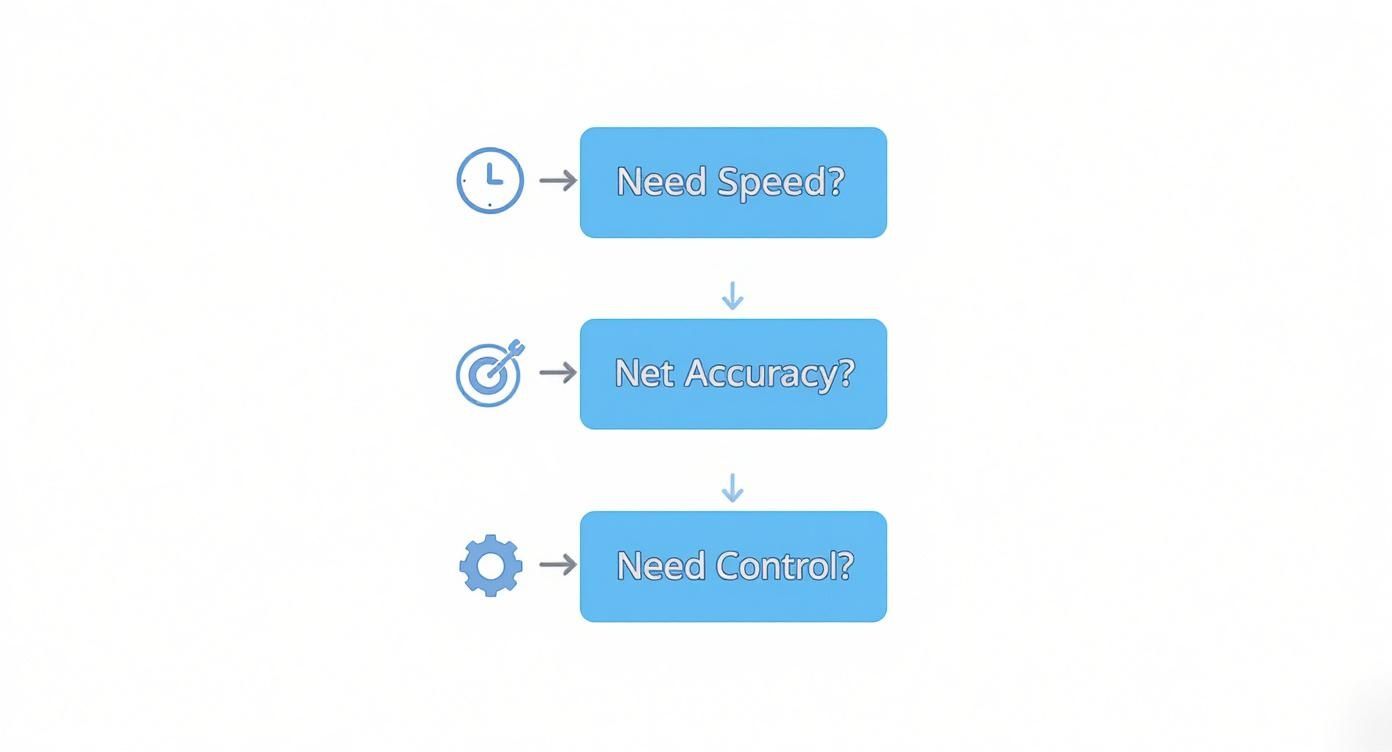
As you can see, the interface is incredibly straightforward. You just drop your link in and hit "Transcribe." It’s designed to be simple enough for anyone to use, whether you're a seasoned pro or this is your first time transcribing a video.
Kicking Off Your Transcript
Once you're signed in, grab your Youtube URL and paste it into the main input field. From there, you'll want to select the video's language. If your content is full of technical terms or specific jargon, you can often add a custom vocabulary list to help the AI get things right.
You might also notice an authorisation prompt if you're trying to transcribe an unlisted or private video. This is a standard security step to ensure the tool has permission to access your content. For a detailed walkthrough on this, check out our guide on how to grant account permissions.
A few pro tips for dealing with less-than-perfect audio:
- Upload a glossary: If you know your video has a lot of specific industry terms, creating a glossary beforehand dramatically improves accuracy.
- Clean up your audio: If possible, run your source video through a noise-reduction filter. Less background noise means fewer errors.
- Use chapters: For longer videos with multiple speakers who might talk over each other, breaking the content into chapters can help the AI isolate and identify voices more clearly.
I've found that even small adjustments in your setup can cut down transcription errors by up to 15%. That's a huge time-saver when it comes to editing.
Adjusting the AI Settings
Most AI tools give you a few settings to play with, letting you find the right balance between speed and precision for your project.
For instance, selecting a “High Accuracy” mode might add a minute or two to the processing time, but it’s fantastic at catching tricky words and reducing incorrect timestamps. If you're transcribing an interview or a panel discussion, look for a speaker identification toggle. It's a lifesaver for telling who said what.
A Quick Look at Typical AI Settings
| Option | Speed Impact | Accuracy Gain | Best For |
|---|---|---|---|
| Standard | Fast | Moderate | General content |
| High Accuracy | Slower | 15%+ | Technical videos |
| Speaker Identification | Moderate | Better context | Discussions |
The best choice really comes down to your content and your deadline. If you’re a travel vlogger transcribing footage from a noisy airport, bumping up the accuracy is well worth the extra minute.
You can also often set a confidence threshold, which tells the tool to filter out words it isn't sure about.
- Try a Confidence Threshold between 0.6 and 0.8 to find a good middle ground.
- Set Timestamp Granularity to 5s for dense, fast-paced dialogue, or 10s for a cleaner, less cluttered transcript.
Polishing Your AI-Generated Transcript
Once the initial draft is ready, the real power of modern tools comes into play. You can use AI prompts to refine the text without having to edit everything manually.
For example, you could highlight a long, rambling explanation and ask the AI to summarise it into a few neat bullet points.
A couple of other post-processing features to try:
- Summarisation: This is great for pulling out the key takeaways from each section, letting you review the content at a glance.
- Translation: Need to repurpose your content for a different audience? Some tools can translate the transcript, including simplifying jargon for different regions.
Based on user feedback, simplifying complex parts of a transcript can make it up to 20% more readable.
By using the AI for these final tweaks, I've consistently cut my manual editing time by at least 30% on my projects. It's a game-changer that frees you up to focus on the creative side of things instead of getting bogged down in corrections.
What's Next?
With the AI's work done, you can download the transcript as a plain text file or an SRT for subtitles.
The final step is to give it a quick read-through in your favourite editor. You’ll want to catch any misspelled names, funky acronyms, or words the AI might have misheard. Once that’s done, you have a polished, accurate transcript ready to go.
Polishing Your Transcript for a Professional Finish
Automated transcription tools are brilliant—they can get you a draft that’s over 95% accurate in minutes. But that last 5%? That’s where the magic happens. A quick human proofread is what separates a decent AI transcript from a polished, professional document that builds trust with your audience.
This isn’t about starting from scratch. Think of the AI as your tireless assistant who did all the heavy lifting. Your job is to come in at the end and apply those final, nuanced touches that only a human can.
The Essential Editing Checklist
Before you hit publish, it’s worth spending a few minutes running through a final check. From my experience, these are the most common slip-ups that automated systems make. Getting these right makes a world of difference to how professional your content feels.
Here’s what I always look for:
- Names and Proper Nouns: AI can get creative with unique names, company branding, or specific places. A quick scan makes sure "Chiara" doesn't become "Ciara."
- Technical Jargon: If you’re discussing a specialised topic, you'll want to double-check that all the industry-specific terms are spot on.
- Homophones: This is a classic one. Words that sound alike but mean different things (like "their," "there," and "they're") can easily get mixed up.
- Punctuation and Flow: AI tends to be a bit literal with punctuation. Your role is to break up long, rambling sentences and add commas or full stops to make the text read more naturally.
A clean, well-edited transcript does more than just share information; it reflects the quality and professionalism of your brand. Taking ten extra minutes to polish the text can significantly boost your credibility.
Formatting for Easy Reading
Nobody wants to face a wall of text. Good formatting is just as crucial as correct spelling because it makes your content inviting and scannable. This is especially true if you plan to transcribe Youtube videos to repurpose as a blog post.
First up, add speaker labels. If you have an interview or a conversation, clearly marking who is speaking is a non-negotiable. It makes the whole thing much easier to follow. Just add the speaker's name in bold, followed by a colon.
For example:
Mark: "Today we're diving into content strategy."
Sarah: "Exactly, and we'll be starting with SEO."
Next, tackle those long paragraphs. A good rule of thumb is to keep paragraphs to just a few sentences. This introduces white space, which makes the content feel less dense and much more approachable, especially for people reading on their phones.
Choosing the Right File to Export
Once you're happy with the edits, the final step is to save your transcript in the right format. The two you’ll see most often are .txt and .srt. Knowing which one to pick is key.
- Plain Text (.txt): This is your basic, no-frills text file. It’s perfect if you just need the words for a blog post, article, or show notes. You get the pure text, without any timestamps.
- SubRip Subtitle (.srt): This is the standard for video captions. An
.srtfile contains the text broken down into timed segments, telling the video player exactly when each line should appear on screen. This is the one you need for uploading closed captions to Youtube or other platforms.
With these simple steps, you can take a solid AI draft and confidently turn it into a flawless, reader-friendly document that's ready for anything.
Turning Transcripts into Content and SEO Wins
Alright, you've got your perfectly edited transcript. Now the real fun starts. This is the moment you stop just documenting your video and start actively multiplying its value. That simple text file is the raw material for a smart content strategy that saves you a ton of time while massively expanding your reach.
This whole process is about working smarter, not harder. You’ve already done the heavy lifting by creating a great video; now it’s time to let that one piece of content fuel your marketing on all sorts of different channels.
Build a Powerful SEO Asset
The most direct way to get more mileage from your transcript is to publish it as a blog post. Search engines are fantastic at reading and indexing text, and a full transcript gives them a keyword-rich resource that can pull in a whole new audience through organic search.
Think about it: every single word spoken in your video becomes a potential search term. This simple move turns your video’s spoken content into a discoverable asset on Google, driving traffic that might never have found your channel otherwise. It's one of the easiest and most effective ways to boost your online visibility.
When you repurpose your Youtube videos into blog posts, you’re not just extending the life of your content. You're making your message accessible to a wider audience and connecting with them on the platforms they prefer.
Repurpose Your Content Effortlessly
Your transcript is basically a goldmine of content ideas, just waiting to be dug up. Instead of staring at a blank page trying to brainstorm new content, you can just pull from what you’ve already created. This keeps your messaging consistent and saves you countless hours.
A single transcript can easily be spun into:
- Social Media Gold: Pull out a few compelling quotes, surprising stats, or actionable tips. Turn them into eye-catching graphics for Instagram, an insightful thread for X (formerly Twitter), or a great discussion starter on LinkedIn.
- Email Newsletter Summaries: Whip up a quick summary of your video’s key takeaways for your email list. This gives your subscribers instant value and nudges them to click through to watch the full video or read the blog post.
- In-Depth Guides and Articles: Use the transcript as the foundation for a more detailed "ultimate guide" or a big pillar content piece. You can expand on the topics you touched on, add more research, and build a truly comprehensive resource.
By figuring out how to transcribe Youtube videos, you unlock a workflow that makes every piece of content you create work that much harder for you. To get started with your own files, you can download transcripts and subtitles with just a few clicks. This is the cornerstone of an efficient and impactful content strategy.
Got Questions About Video Transcription? We've Got Answers
As you dive into transcribing Youtube videos, you're bound to run into a few common questions. Getting these sorted out from the start will make your whole process smoother and help you sidestep any creative or legal tripwires.
Let's clear up some of the usual points of confusion so you can get on with your work confidently.
What’s the Real Difference Between Transcripts and Captions?
People often use these terms as if they mean the same thing, but they're actually two different tools for two different jobs. Knowing which one you need is crucial.
A transcript is the raw text of everything spoken in a video. Think of it as a simple script, usually in a .txt file. It's perfect if you want to turn a video into a blog post, pull quotes for an article, or create detailed show notes. Its main goal is to make your content readable.
Closed captions (or subtitles) are a different beast entirely. They come in special files like .srt or .vtt that are packed with timestamps. These timestamps sync the text to the video, telling the player exactly when to display each line on screen. Their primary job is to make your content watchable for everyone, including those who are deaf, hard of hearing, or watching with the sound off.
Is It Legal to Transcribe Someone Else's Video?
This is a big one, and the answer lives in a legal grey area known as fair use. Technically, transcribing someone else’s video without their say-so could be a copyright issue, since the transcript is derived from their original work.
But it’s not always a hard "no". Your purpose matters. Fair use might cover you if you're using the transcript for something transformative, like:
- Commentary or criticism: Pulling a few lines to analyse or review the video's content.
- News reporting or academic research: Citing portions of the video as a source.
- Parody: Creating something new and funny that riffs on the original.
Here's the bottom line: if you're planning to publish large chunks of someone else's transcript, especially if you stand to make money from it, your best bet is to ask the original creator for permission. It’s the respectful thing to do and keeps you out of legal hot water.
How Should I Handle Videos with Multiple Languages?
Working with multilingual content used to be a massive headache, but today's AI tools have made it much more manageable. Many transcription services can now automatically detect different languages being spoken in the same video and transcribe them accurately.
This is a game-changer for repurposing content. Once you have the initial transcript, you can often translate it into various other languages with just a click. This opens the door to creating multilingual blog posts or subtitles, helping you connect with a global audience without the high cost of hiring professional translators for every language.
Ready to turn your videos into powerful text? With YoutubeToText.ai, you can get accurate transcripts and subtitles in minutes, not hours. Start transcribing for free and see how easy it is