A simple guide to Youtube to text transcription. Learn how to convert video content into text to boost SEO, improve accessibility, and repurpose content.
Your Practical Guide to Youtube to Text Transcription
Turning your Youtube videos into text is one of the smartest things you can do to solve real problems for your audience and unlock your content's true potential. It’s the key to making your videos searchable, accessible, and incredibly easy to repurpose. This guide will educate you on how to use AI transcription to boost your productivity, improve accessibility, and inspire new ways to grow your audience from every single video you produce.
Why Youtube to Text Is a Content Game-Changer
If you're making videos, you know how noisy it is out there. Youtube is a massive platform, and you need every advantage you can get to stand out and solve real problems for your viewers.
This is where turning your Youtube to text stops being a technical task and becomes a core part of your strategy to educate and inspire. A transcript is the foundation for so many content opportunities that are otherwise locked away inside your video file. Think of it as giving your video a voice that search engines—and whole new audiences—can finally understand, solving the problem of discoverability.
Unlocking Your Video’s Full Potential
Without a text version, your message is trapped. It's only available to people who can watch and hear it at that moment. By creating a transcript, you immediately smash those barriers. It’s a simple step that unlocks a world of benefits, amplifying your hard work and solving key challenges with very little extra effort.
Here’s the real-world impact you'll see:
- Solve the SEO Problem: Search engines can't watch videos, but they excel at crawling text. A transcript lets Google index every single word you say, helping your video show up for all those specific, long-tail keywords people are searching for.
- Solve the Accessibility Problem: Transcripts and captions open your content up to viewers who are deaf, hard of hearing, or simply watching with the sound off. This is a crucial step in creating an inclusive experience for everyone.
- Solve the Content Repurposing Problem: A transcript is the perfect raw material for blog posts, social media snippets, email newsletters, or even the chapters of an e-book. It fuels your entire content machine.
Reaching a Wider Audience
Your potential audience is probably bigger than you imagine. For a bit of perspective, in early 2025, Youtube's advertising reach in the Netherlands alone was around 14.8 million users—that's 80.9% of the entire population. You can check out more stats on the Dutch digital scene at DataReportal. This just shows how deeply video is woven into daily life, and having a text version ensures you can connect with every possible viewer.
To put it simply, converting your video to text isn't just about creating a document; it's about solving problems of reach, accessibility, and productivity.
Core Benefits of Transcribing Your Youtube Videos
| Benefit | Impact for Creators | Impact for Researchers |
|---|---|---|
| Searchability | Boosts SEO, making videos discoverable through organic search. | Allows keyword searches within hours of interview or lecture footage. |
| Accessibility | Opens content to deaf/hard-of-hearing audiences and sound-off viewers. | Ensures academic content is accessible to all students and colleagues. |
| Repurposing | Quickly turn video scripts into blog posts, social media content, and articles. | Easily extract quotes and data points for papers and presentations. |
| Engagement | Provides captions that can improve viewer retention and comprehension. | Facilitates detailed analysis and review of spoken content. |
Ultimately, a transcript transforms a single piece of content into a versatile asset that serves multiple goals, whether you're building a brand or conducting in-depth analysis.
Choosing Your Youtube Transcription Method

When you need to get the text from a Youtube video, you have two main routes to solve this problem. Your best choice depends on your goal: are you after a quick, free transcript for personal use, or do you need a highly accurate version to solve a professional challenge?
One method is completely free and built into Youtube. The other involves using a specialised tool that offers far more power, boosting your productivity and the quality of your output. Let's dig into both so you can choose the right solution for your workflow.
Starting with Youtube's Built-In Tool
For a basic transcript without any fuss, Youtube's own automatic transcription feature is a fantastic place to start. It’s available on almost every video, and it doesn't cost a penny. Honestly, the technology has improved massively since it first launched.
You can grab this transcript directly from your Youtube Studio. Just head to your content library, pick a video, and click on the "Subtitles" tab. If an automatic transcript is ready, you'll see it there, usually labelled as "(Automatic)". From that point, you can either download the file as is or jump in and edit it for accuracy.
My Takeaway: I find Youtube's auto-transcripts are a great solution for getting a rough draft. If I just need to pull a few quotes or create a quick outline for a blog post, they solve the immediate problem. The big catch is that they usually lack punctuation, don't identify different speakers, and can really stumble over technical terms or heavy accents.
When to Use a Dedicated AI Transcription Service
While Youtube’s tool is handy, its limitations create problems for professional use. This is where dedicated AI transcription services shine, solving issues of accuracy, formatting, and productivity. These platforms are purpose-built for one thing: turning video and audio into incredibly accurate, well-formatted text.
Think of it this way: Youtube’s transcriber is like the free screwdriver that comes with flat-pack furniture—it works, but it's basic. A dedicated service is a professional-grade power drill; it's faster, more precise, and built to solve serious workflow challenges.
A third-party service is the clear solution in these key scenarios:
- You need top-tier accuracy: Advanced AI models can hit 95% accuracy or even higher, especially with decent audio quality. They are better at understanding accents, filtering noise, and recognising jargon, solving the problem of misinterpretation.
- You need speaker labels: For interviews or panel discussions, these tools are a lifesaver. They automatically detect and label speakers (e.g., "Speaker 1," "Speaker 2"), solving a huge manual editing headache and boosting productivity.
- You need proper formatting: Forget walls of text. A dedicated service will automatically add punctuation, capitals, and paragraph breaks, giving you a clean, readable document that solves formatting issues from the start.
- You need precise timestamps: Word-level timestamps are an essential solution if you're creating captions or if you're a researcher needing to cite specific moments in a video.
For example, a journalist transcribing an interview needs to solve the problem of accuracy to ensure every word is correct. A content marketer needs an efficient way to repurpose video into a blog post. In these cases, the time you save and the accuracy you gain from a specialised tool is a no-brainer. If you're looking for more details on this process, our guide on how to convert audio from Youtube is a great resource.
Ultimately, choosing your method is a simple trade-off between cost and quality. For quick, casual tasks, Youtube’s free tool is a perfectly fine solution. For anything that requires accuracy and a professional finish, investing in a dedicated AI transcription service will pay for itself by solving critical problems of quality and efficiency.
Polishing Your AI-Generated Transcript
An AI transcript gets you about 90% of the way there, but that last 10% is where you solve the final quality issues. This human touch turns a rough draft into a polished, professional document, inspiring confidence in its accuracy and readiness for your audience.
Think of the AI output as a solid first draft. It solves the massive problem of manual transcription, but it often misses nuances a human ear picks up. My editing process zeroes in on a few key areas where AI typically fumbles.
The good news? This cleanup job is way faster than transcribing from scratch. You're not typing every word; you're just refining what's already there to solve those final errors.
Your Go-To Editing Checklist
Over the years, I've developed a simple checklist to make this process as efficient as possible. Following these steps will help you solve the most common errors and ensure your final text is perfectly readable and correct.
Here’s what I always look for:
- Punctuation and Capitalisation: AI often gets lost with commas, full stops, and question marks. It can create run-on sentences or forget to capitalise proper nouns like names or brands. A quick scan to fix these makes a world of difference.
- Misheard or Technical Terms: Did the speaker say "AI ethics" or "AI ethnics"? AI can misinterpret industry jargon or complex names. Solving these errors is often critical to the meaning of the content.
- Speaker Identification: If you have multiple speakers, the AI might get confused and mislabel who said what. Fixing these speaker tags is essential for creating a transcript that’s easy to follow, solving a major readability problem for interviews or panel discussions.
Fine-Tuning for Readability
Once you've squashed the basic errors, the next step is to improve the overall flow. This isn't just about correcting mistakes; it's about shaping the text so it makes sense on its own, completely separate from the video.
A big part of this is dealing with filler words. You'll need to decide whether to keep words like "um," "ah," and "you know." If you need a completely verbatim transcript (for legal reasons), leave them in. But for a cleaner, more readable version—like for a blog post or article—cutting them out is an easy way to solve the problem of clunky text and make it feel more professional.
Pro Tip: Read the transcript out loud. This is the fastest way to solve the problem of awkward phrasing and clunky sentences that your eyes might glide over. If it sounds unnatural when you say it, it will be a tough read for your audience.
Ensuring Timestamp Accuracy
Finally, if you're using the transcript for captions or subtitles (like an SRT or VTT file), checking the timestamp alignment is non-negotiable. Sometimes, editing the text can cause the timing to drift out of sync, creating a jarring experience for the viewer.
Most good transcription tools let you click on a word and jump straight to that moment in the video. Use this feature to spot-check a few phrases. Just make sure the words on the screen match what's being said. For a deeper look at this process, our guide on converting different file types can be a great help, especially when you're working on audio to text conversions.
This final human pass ensures your transcript isn't just a raw data dump from a youtube to text tool. It becomes a reliable, accurate asset you can use for anything from accessibility to inspiring new content.
Bringing Your Transcript to Life
Alright, you've done the hard work and now you have a clean, accurate transcript. This is where you get to be creative and solve the challenge of content creation. That text file isn't just a script; it's a flexible asset you can mould and reshape for all sorts of platforms and goals, inspiring a wealth of new content.
The first move is deciding how you want to export it. Picking the right file format from the get-go will solve a world of frustration later on. Think of it like choosing the right tool for the job – it makes everything that follows so much easier.
Choosing the Right Transcript Export Format
Every file format has its own superpower, designed to solve a specific problem. A plain text file is your go-to for articles and notes, while an SRT file is built specifically for subtitles. Getting this choice right ensures your content behaves exactly as you expect it to.
This workflow gives you a bird's-eye view of how to take a raw AI transcript and polish it for whatever you have planned.
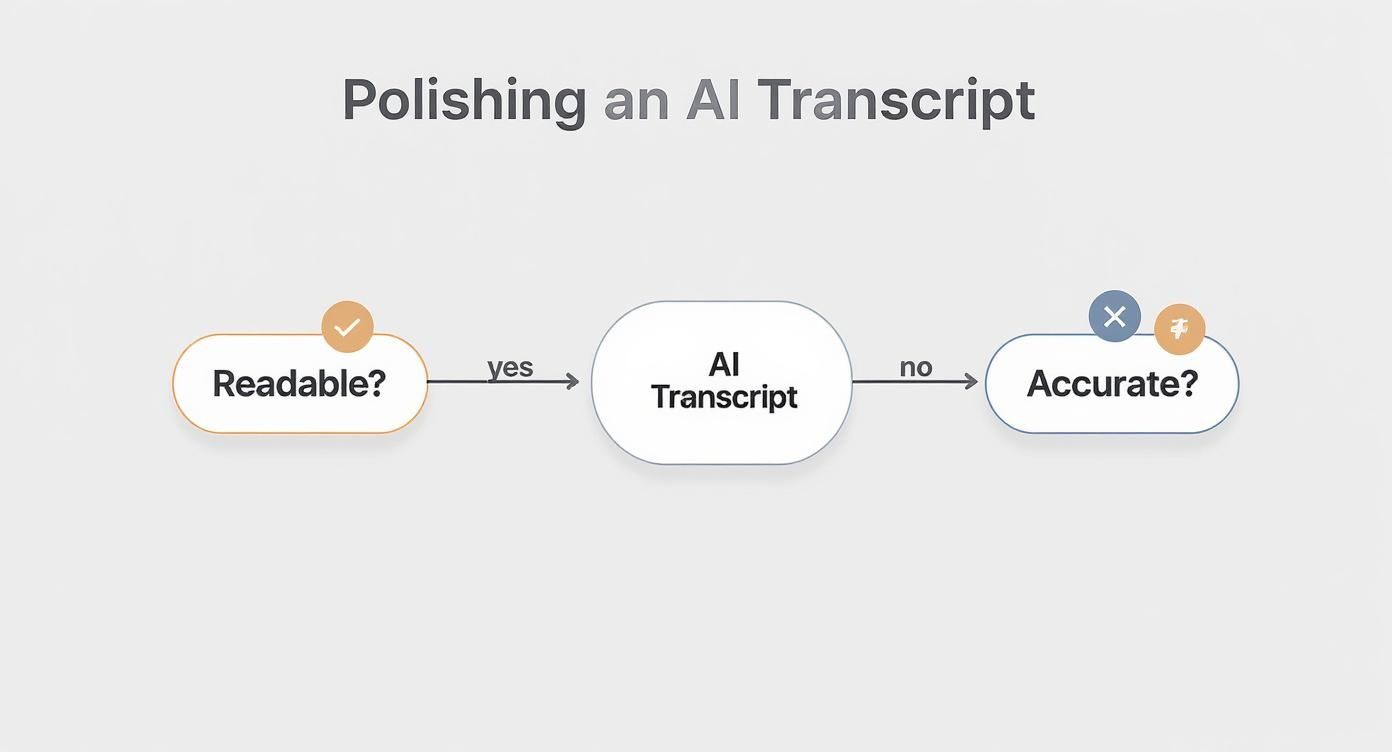
As you can see, making sure the text is both readable and accurate is the critical step before you hit that export button.
Let's break down the most common formats you'll encounter.
Selecting the best format depends entirely on the problem you want to solve. This table lays out the common choices and their primary functions to help you decide.
| Format | Primary Use Case | Key Features |
|---|---|---|
| .TXT | Content repurposing (blogs, articles, show notes) | Pure, unformatted text. Highly versatile for copy-pasting. |
| .SRT | Youtube & social media video captions | Includes text with precise start/end timestamps for syncing. |
| .VTT | Web-based video players (websites, courses) | Similar to SRT but offers advanced styling options (colour, position). |
Each of these formats serves a distinct purpose, so matching the file to your goal is the key to an efficient workflow.
Here’s a closer look at when to use each one:
.TXT (Plain Text File): This is your blank canvas. A .TXT file is just the words, stripped of all formatting. It’s the perfect solution for when you want to write a new blog post, draft an email newsletter, or create detailed podcast show notes. If you need to copy, paste, and freely edit the text, this is the format for you.
.SRT (SubRip Subtitle File): This is the industry standard for video captions, especially on Youtube. SRT files are clever; they contain not just the text but also the exact timestamps. Upload this file, and Youtube will display perfectly synced captions. This is a massive win for solving accessibility issues and keeping your viewers engaged. If you've got a plain text file ready, our guide on how to convert TXT files into the SRT format can walk you through the next steps.
.VTT (WebVTT File): Think of VTT as SRT's cousin. It’s another captioning format, but it's more common on video players outside of Youtube. Its main advantage is that it supports more advanced formatting, like adding colour or changing the position of the text on screen.
Creative Ways to Repurpose Your Transcript
Beyond the technical file formats, a polished transcript unlocks a ton of creative potential. This is how you solve the "what to post today" problem, turning one video into a dozen different pieces of content with minimal extra effort and inspiring a steady stream of posts.
Your video transcript is a goldmine of quotable moments, key takeaways, and discussion points. The goal is to extract these gems and share them in formats that are easy for your audience to consume and share.
For instance, scan through your transcript and pull out a few powerful, punchy sentences. You can easily turn those into eye-catching graphics for Instagram or X. Or, feed the entire text into an AI summariser to instantly create a tight summary for your video description or a quick email update for your subscribers.
This strategy helps you reach different people on the platforms they prefer, all without having to invent new content from scratch. Suddenly, one video becomes the source for a whole week's worth of social media posts, massively boosting its reach and impact.
Turn Your Transcript into an SEO and Accessibility Powerhouse
This is where the real magic happens. Taking the time to convert your Youtube video into text solves two of the biggest challenges for creators: discoverability and inclusivity. It’s one of the most powerful things you can do to get your video found and make it welcoming to a far wider audience.
Think about it: without text, search engines like Google can only really see your video's title and description. All the valuable, detailed information you share inside the video? It's practically invisible to them. A transcript flips that script entirely.
Get Found by More People with Smart SEO
When you publish a full transcript alongside your video, you’re basically handing search engines a word-for-word map of your content. This solves the problem of limited SEO by letting them index every single keyword, phrase, and idea you mentioned. All of a sudden, your video isn't just trying to rank for a couple of core keywords—it's now in the running for hundreds of specific, long-tail searches.
Let's say you've made a 15-minute review of a new camera. In that video, you probably talked about dozens of specific features. Someone searching for "best camera for low-light vlogging" or "how smooth is the autofocus for sports?" could now find your video, even if those exact phrases aren’t in your title. You're solving their specific problem, and search engines will reward you for it.
The real SEO advantage of a transcript is its depth. It catches all the natural, conversational language people use when they search, opening up traffic you'd otherwise completely miss out on.
Make Your Content Welcoming for Everyone
Beyond getting more views, transcripts are absolutely essential for solving accessibility problems. An accurate text version of your video means people who are deaf or hard-of-hearing can engage with your message just like any other viewer. This isn't just a "nice thing to do"—it's a core part of creating inclusive content that inspires community.
But the benefits of accessibility don't stop there. Think about these common situations:
- Non-native speakers: For viewers still learning the language, being able to read along can make a huge difference in their understanding.
- Loud environments: How many times have you tried to watch a video on a noisy train? Transcripts and captions let people follow along when they can't turn the sound on.
- Better learning: If you create educational content, a transcript is an amazing study tool. It helps viewers review and remember the important points you’ve made, solving a key challenge for students.
A little bit of formatting goes a long way. Break up your transcript into short, easy-to-scan paragraphs. If you can, add a few headings to signpost the different topics you covered. This makes the experience better for everyone and gives search engines even more clues about what your video is about. This dual benefit is what makes the youtube to text process a must-do for any serious creator.
Got Questions About Converting Youtube Videos to Text?
Even with a straightforward process, you're bound to have a few questions when you start turning Youtube videos into text. I get asked these all the time, so let's clear up some of the most common queries and solve any lingering doubts.
Getting a handle on things like transcription accuracy, different languages, and the legal side of things will help you use these tools confidently and correctly.
Just How Accurate Is the Automatic Transcription?
This is the big one, isn't it? In ideal conditions, you can expect an AI transcription to be around 90-95% accurate. What are ideal conditions? Think of a video with one person speaking clearly, using a good microphone, with little to no background noise.
But life isn't always ideal. Throw in heavy accents, several people talking at once, or highly technical terms, and you'll see that accuracy dip.
That's why I always recommend a quick human proofread. Spending just a few minutes fixing names, punctuation, or any words the AI fumbled is the difference between a decent transcript and a professional, reliable one. It's a small step that solves the final quality problem and makes a huge impact.
Can I Transcribe Videos That Aren't in English?
Yes, absolutely. Most modern transcription tools, including the one built into Youtube, are brilliant with other languages. Whether your video is in Dutch, Spanish, or Japanese, you can get a surprisingly accurate transcript.
The key is to tell the tool which language to expect before you start. This sets it up for success. Some advanced platforms can even tackle videos with mixed languages, but you'll definitely want to give those a close manual review to make sure nothing got lost in translation.
Is It Okay to Transcribe Someone Else's Youtube Video?
This is a really important question, and the answer comes down to one thing: what problem are you trying to solve with the text?
If you're transcribing a video for your own personal use—like for study notes, private research, or just to understand it better—you're almost always fine. The legal grey area appears when you want to use that transcript publicly.
Planning to publish the transcript on your blog, share it widely, or use it in a commercial project? You'll need to think about copyright. The safest route is to get permission directly from the creator. Failing that, check if the video has a Creative Commons licence that allows for reuse. When in doubt, always ask first.
Ready to solve your content challenges and see what your videos can really do? YoutubeToText gives you fast, accurate transcripts, subtitles, and summaries in just a few clicks. It's the easiest way to make your content more accessible, searchable, and ready to inspire. Get your first transcript today!