Learn how to perform a Youtube audio extract with our complete guide. We cover the best tools, safest methods, and smart ways to repurpose your audio files.
Your Practical Guide to Youtube Audio Extract
So, what does it actually mean to extract audio from a Youtube video? Put simply, it’s the process of pulling out just the sound from a video and saving it as a standalone audio file, like an MP3 or WAV. This simple technique turns any video into a portable, audio-only format you can listen to anywhere, unlocking new ways to boost productivity, improve accessibility, and repurpose content.
Why Bother Extracting Audio from Youtube?
Before we get into the nuts and bolts of how to do it, let's talk about why. This isn't just a neat technical hack; it’s an incredibly practical way to make information more accessible, portable, and useful for whatever you're trying to achieve. Figuring out your "why" often makes the "how" a lot clearer and shows you the real problem you're solving.
For content creators, this is a game-changer for repurposing. A video podcast, for example, can be quickly converted into an audio-only version and pushed out to platforms like Spotify or Apple Podcasts. Just like that, you've doubled your content output and expanded your reach with hardly any extra work. This is a huge productivity win for busy creators.
Expanding Your Content's Reach and Accessibility
Students and researchers also find this incredibly useful for productivity. Imagine saving a long university lecture or an in-depth interview to listen back to on your commute. It’s far easier to absorb complex ideas on the train than it is to re-watch an hour-long video, turning downtime into productive study time. This also makes educational content more accessible for those who prefer auditory learning.
And what about music lovers? You might want to build a personal playlist of live performances, unique remixes, or rare B-sides that you just can't find on standard streaming services. This is especially true for independent artists who rely on Youtube to share their work.
Youtube’s role here can't be overstated. In the Netherlands, it has become a go-to platform for music videos, with a huge chunk of the population using it for their daily audio fix.
This massive adoption rate highlights just how important the platform is. As of early 2025, Youtube had around 14.8 million users in the Netherlands, which is about 80.9% of the country's entire population. You can find more fascinating stats like this in Datareportal's overview of digital trends in the Netherlands.
When you boil it down, the need to extract Youtube audio really comes down to three key benefits:
- Accessibility: Listen to spoken content like interviews, tutorials, and commentary without being glued to a screen. This is crucial for visual impairments and learning preferences.
- Productivity: Take your favourite audio with you on any device. It's perfect for offline listening on a flight or turning commutes into learning sessions.
- Repurposing: Turn one video into multiple assets, whether it's a podcast episode or audio notes for your research, saving time and maximising your content's value.
Choosing the Right Tool for the Job
Figuring out how to grab the audio from a Youtube video isn’t about finding a single "best" method. It’s all about matching the tool to your end goal. The right choice depends entirely on what you’re trying to do, whether you're solving a quick productivity challenge or building a high-quality audio library for content repurposing.
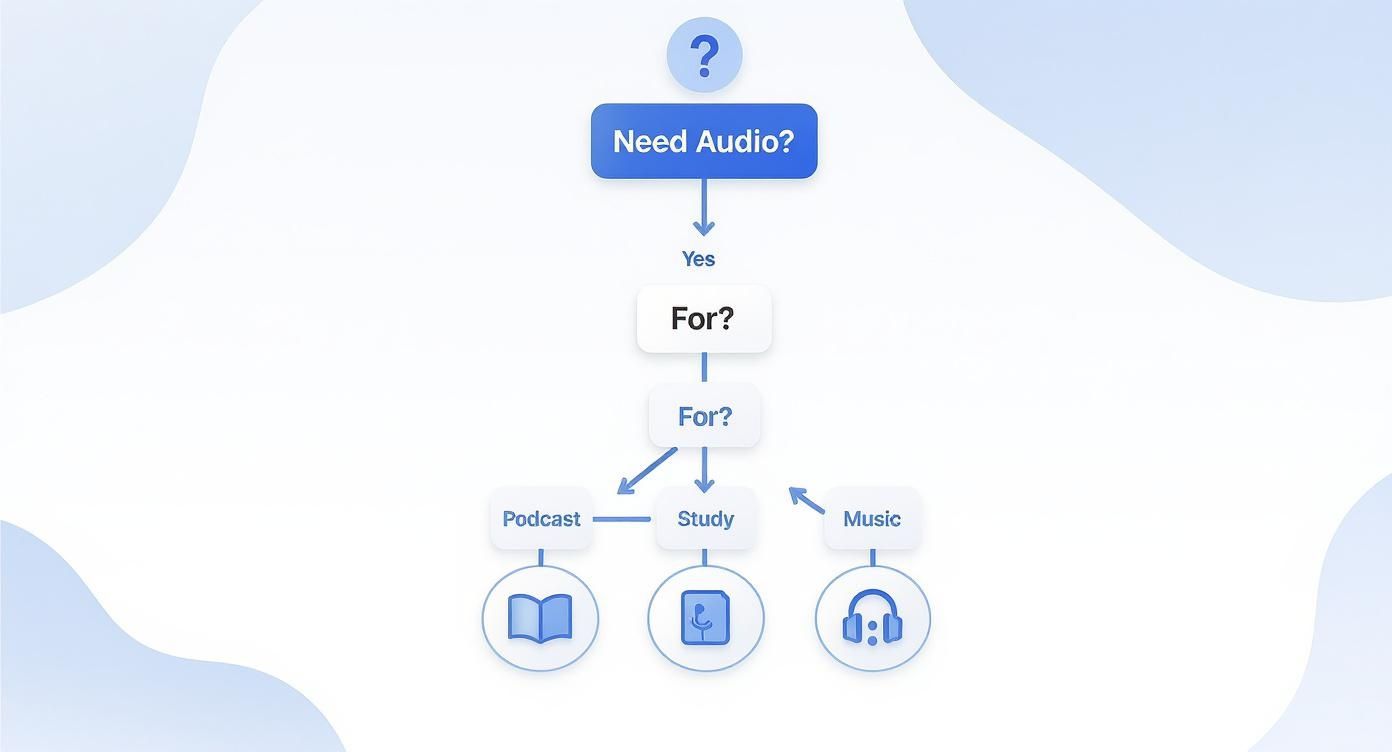
You’ve got four main paths to choose from, each with its own pros and cons. There are the super-fast online converters, more robust desktop software, handy browser extensions, and for the tech-savvy, command-line tools like yt-dlp. Your decision will really come down to what you value most: audio quality, speed, privacy, or the ability to download an entire playlist at once.
1. Online Converters: Quick and Convenient
For most people, the goal is simple: get an MP3 file with as little fuss as possible to solve an immediate need. This is where online converters are brilliant. You just paste a Youtube link, click a button, and a few moments later, you’ve got your audio file. No installation, no complicated settings—just straightforward downloading.
But that convenience often comes with a catch. Many of these sites are plastered with aggressive ads, annoying pop-ups, and sometimes even misleading "download" buttons that lead you astray. You also get very little say in the final audio quality; you’ll typically get a standard, compressed MP3, which might not be what you want for a high-fidelity project.
My Two Cents: Online converters are perfect for solving quick, one-off problems when speed trumps everything else. Just be sure to use a good ad-blocker and stay sharp.
2. Desktop Software: Powerful and Precise
If you're serious about audio quality for a content repurposing project or need more advanced features, dedicated desktop software is the way to go. Applications like the ever-reliable VLC Media Player or other specialised programs give you fine-grained control over the entire process. This is the best approach for content creators, researchers, or anyone who needs top-notch audio for their work.
With a desktop tool, you can usually:
- Pick your format: Choose between compressed files like MP3 or AAC for smaller sizes, or go for lossless formats like WAV or FLAC for pristine, uncompressed sound.
- Tweak the bitrate: You can fine-tune the audio quality to get the perfect balance between file size and fidelity.
- Batch process playlists: This is a massive productivity booster. You can download dozens of audio tracks from a playlist in one go.
- Edit metadata: Clean up your files by adding artist names, album titles, and even cover art to keep your library organised.
The only real downside is that you need to install something, and there might be a slight learning curve compared to just pasting a link into a website.
3. Browser Extensions: Always on Hand
Browser extensions sit in a nice middle ground between online converters and desktop software. Once installed, they add a download button directly to the Youtube page, making the process incredibly smooth for quick productivity gains. You don’t have to copy links or open another app; everything happens right in your browser.
While they are super convenient, they can be a bit of a mixed bag. Some are excellent, but others might have privacy concerns or stop working when Youtube updates its site. They also tend to offer fewer customisation options than desktop software, so you might be limited in your choice of formats and quality settings.
4. Command-Line Tools: For Maximum Control
For those who are comfortable with the command line, a tool like yt-dlp offers unmatched power and flexibility. It’s a lean, mean programme that can download video and audio from thousands of websites—not just Youtube. There are no ads, no GUIs, just pure functionality for ultimate productivity and automation.
While a terminal window might look intimidating if you've never used one, it’s the most direct and powerful way to get exactly what you want. You have total control over formats, quality settings, naming conventions, and can even download subtitles alongside the audio—perfect for accessibility projects. It's the preferred method for power users and anyone automating download tasks.
Comparison of Youtube Audio Extraction Methods
To make the choice a bit clearer, here’s a quick breakdown of how these four methods stack up against each other.
| Method | Best For | Ease of Use | Quality Control | Privacy Risk |
|---|---|---|---|---|
| Online Converters | Quick, one-off downloads | Very Easy | Low | High |
| Desktop Software | High-quality audio, batch processing | Moderate | High | Low |
| Browser Extensions | Seamless, in-browser convenience | Easy | Medium | Medium |
| Command-Line (yt-dlp) | Power users, automation, max control | Difficult | Very High | Very Low |
Ultimately, there's no single "best" tool—only the best tool for your specific task. Think about the problem you are trying to solve with the audio, and the right choice will become obvious.
Using Online Converters Safely and Effectively
When you just need to grab the audio from a Youtube video to solve a quick problem, online converters are often the fastest way to get it done. The process is dead simple: you copy the video's URL, paste it into a box on a website, pick your audio format, and hit download. No software to install, no complicated steps. It's all done in your browser in under a minute.
This approach is perfect for one-off productivity tasks. Maybe you want to save a university lecture to listen to on your commute or grab a rare live music recording that you can't find anywhere else. For a more detailed look at various methods, our guide on how to convert audio from Youtube covers a lot more ground.
But, and this is a big but, that convenience can come at a cost. Many of these free websites are packed with aggressive ads, which can make the whole experience a headache and, in some cases, a bit risky.
Spotting and Avoiding Sketchy Websites
The real trick to using online converters is learning how to sidestep the minefield of pop-up ads, fake download buttons, and other security traps. A good tool will be straightforward, but many are intentionally designed to trick you into clicking the wrong thing.
Here are a few red flags I always watch out for:
- A storm of pop-ups and redirects: If the site starts opening new tabs or windows faster than you can close them, that’s your cue to leave. It’s a classic sign of an ad-heavy, low-quality service.
- Prompts to install software: A genuine online tool does everything in your browser. If a site tells you to download an ".exe" file or add a browser extension to proceed, don't do it. That's a common way to sneak adware or even malware onto your computer.
- No clear privacy policy: Trustworthy services will be upfront about how they handle data. If you can't easily find a privacy policy, it's safer to assume the worst and find a different site.
A personal tip: I never visit one of these sites without a good ad-blocker running. It makes the page usable and drastically cuts down the chances of accidentally clicking on something you shouldn't.
Choosing Your Audio Format
Once you've landed on a decent website, you'll usually have to choose an audio format. Which one you pick really depends on what you need the audio for and what problem you're solving.
- MP3 for Convenience: This is the go-to for most people, and for good reason. MP3s are compressed, so the files are small and won't eat up storage on your phone or laptop. For listening to podcasts, interviews, or lectures, the quality is more than good enough.
- WAV for Quality: WAV files are the opposite—they're uncompressed, meaning you get the audio in its original, full quality. The trade-off is a much, much larger file. I only ever choose WAV if I'm repurposing content where audio fidelity is critical, like music production or high-quality video editing.
By keeping these risks in mind and making a smart choice on your format, you can make online converters work for you. They’re a great tool for any quick youtube audio extract job, as long as you know what to look out for.
Gaining More Control with Desktop Software
While online converters are great for a quick grab, there comes a point where you need more precision and power. When the quality of your audio is non-negotiable for content repurposing, or you're boosting productivity by dealing with a whole batch of files, dedicated desktop software is the way to go. It gives you direct control over every part of the process, from bitrate to metadata.
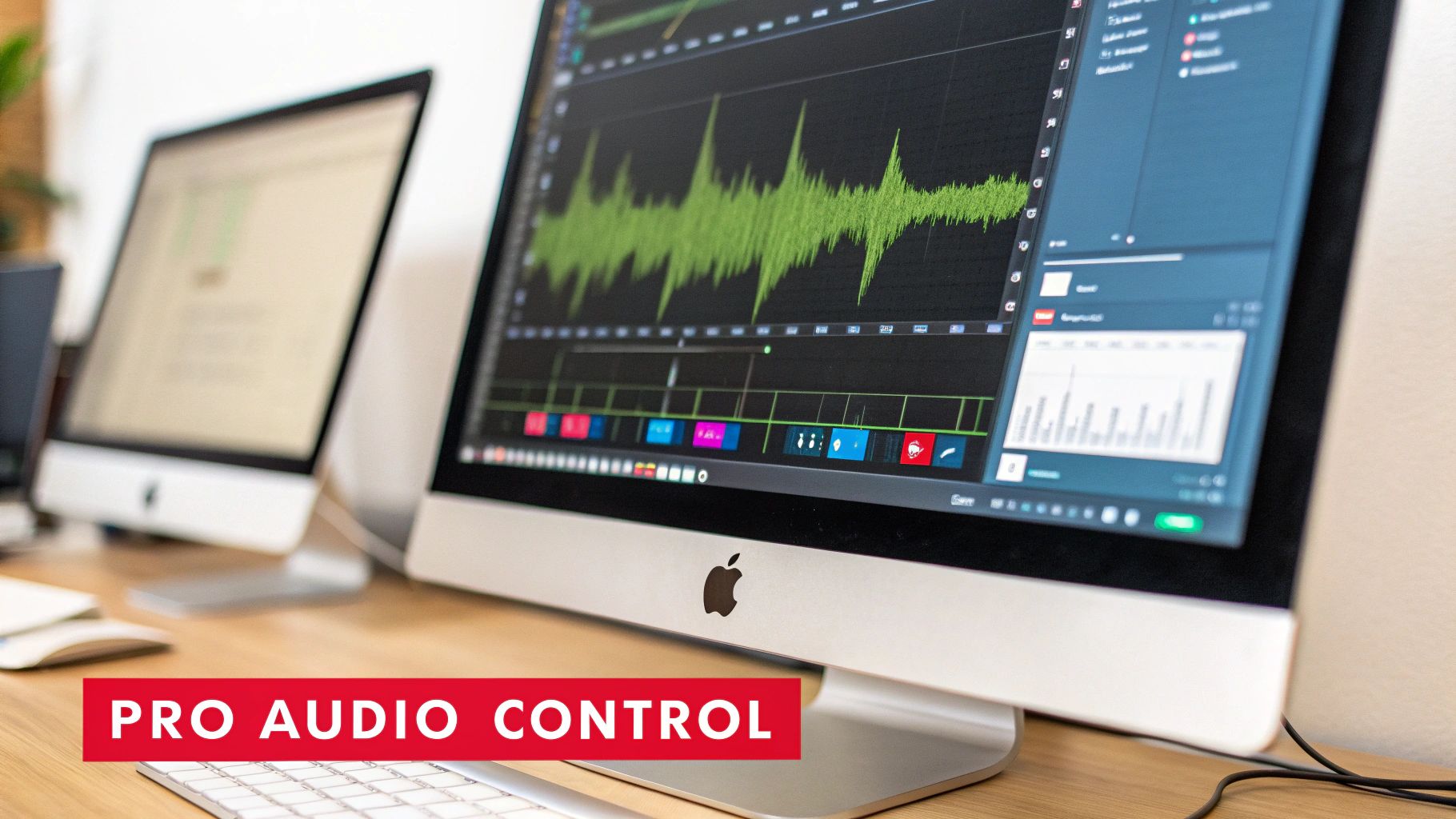
This level of control isn't just a nice-to-have; for many, it's essential. Think of a content creator turning a video interview into a polished podcast—they simply can't afford the often tinny, compressed audio from a generic online tool. The same goes for audiophiles archiving live music; they need to preserve every last detail of the original recording.
Dialing in the Perfect Audio Quality
The biggest win with desktop software is the ability to fine-tune your audio settings. Instead of being stuck with whatever default MP3 the online tool spits out, you can pick from a wide range of formats and specify the exact quality you need for your project.
This is more important than ever, especially as platforms like Youtube raise their standards. The technical recommendations for music content in the Netherlands, for example, really emphasise high-fidelity sound. For 2025, Youtube is recommending a 48 kHz sampling rate and 24-bit depth for the best results, with FLAC being the ideal format for music. They'll accept compressed audio, of course, but advise against it to avoid losing quality. You can read up on Youtube's audio guidelines on Peak Studios for all the details.
Desktop tools make it easy to hit these targets by letting you select:
- Bitrate: For an MP3, you can choose a high bitrate like 320 kbps for rich, detailed sound or a lower one if file size is a concern.
- Format: This is where you can opt for lossless formats like FLAC or WAV to get a perfect, uncompressed copy of the source audio.
- Channels: You can also specify stereo or mono output, which comes in handy for certain types of spoken-word content.
Streamlining Your Workflow with Batch Processing
Let's say you need to grab the audio from every lecture in a semester-long university course or an entire playlist of live concert recordings. Doing that one by one with an online tool would be an absolute nightmare. This is where batch processing is a productivity lifesaver.
Most desktop applications let you paste an entire Youtube playlist URL. The software then lines up every video and methodically extracts the audio from each one, leaving you free to work on something else.
Honestly, this feature alone is enough to convince anyone who needs to extract Youtube audio on a regular basis. It turns a mind-numbing manual task into a simple, set-it-and-forget-it process.
Keeping Your Library Organised with Metadata
A folder full of files named track01.mp3 or video_audio_final.wav is just asking for trouble. One of the most underrated features of good desktop software is the ability to edit metadata right inside the app.
This means you can tag your audio files with all the important info before you even save them. You can add or fix things like:
- Artist and Album names
- Track titles and numbers
- Genre information
- Album artwork
By taking a moment to fill this in, you're making sure your files show up correctly in any media player, from iTunes to VLC. It’s a simple step that keeps your audio library clean and professional, saving you a massive organisational headache later on.
A Quick Word on Copyright and Fair Use
Let's be honest, grabbing audio from a Youtube video can feel a bit like wandering into a legal grey area. Before you start building a massive library of downloaded tracks, it’s worth getting your head around the basic rules of the road. It might sound complicated, but the core ideas are pretty simple and will help you stay respectful of the people who made the content in the first place.
At the end of the day, it all boils down to copyright. The vast majority of stuff on Youtube is protected, which means the creator owns the rights to how their work gets used, shared, and copied. Technically, downloading their work—even just the audio—is a breach of Youtube's Terms of Service.
Personal vs. Public Use: The Bright Line
The most important question to ask yourself is: what am I going to do with this audio? There's a huge difference between saving a lecture for personal study and using a song clip in a video you plan to monetise. The first solves a productivity problem, while the second creates a legal one.
Generally speaking, extracting audio for strictly personal, non-commercial use is often overlooked, even though it's against the platform's official rules. The real trouble starts when you repurpose someone else's copyrighted audio for anything public or commercial. Think podcasts, your own videos, or ads—if you don't have explicit permission, you're on shaky ground.
Here's a simple rule of thumb: If you didn't create it and don't have a licence for it, assume you can only use it for your own private listening and learning. Stick to that, and you'll almost always be on the right side of the law.
Finding Audio You Can Actually Use (Legally)
The good news is that not everything on Youtube is locked down. A lot of creators are happy to share their work, as long as they get credit. This is where Creative Commons (CC) licences are your best friend for content repurposing.
You can actually filter for this content directly on Youtube. Just pop your search term in, click the "Filters" button, and look for "Creative Commons" under the "Features" section. This will show you a list of videos that creators have explicitly marked for reuse. Just be sure to check the specific CC licence, as some have rules attached, like not allowing commercial use or modifications.
By looking for CC-licensed or public domain content first, you can perform a youtube audio extract without the legal headache, all while respecting the original creator.
From Audio to Action: The Power of Transcription
So, you’ve pulled the audio from a Youtube video. What now? Getting the MP3 or WAV file is really just the starting point. The magic happens when you figure out what to do with it next to solve a real problem.
If you’re working with spoken content—think interviews, lectures, or webinars—the most powerful next step you can take is to transcribe it. Turning that audio into text unlocks a dozen new ways to boost productivity, improve accessibility, and repurpose your content.
Suddenly, that one-hour webinar isn’t just a video file anymore. It’s the raw material for a detailed blog post, a set of snappy quotes for social media, or a comprehensive and fully accessible PDF guide for your audience. For a deeper dive, we've put together a guide on the best ways to convert audio to text that's worth a read.
Getting the Most Out of Your Content
This is all about content multiplication. Instead of constantly brainstorming new ideas, you’re simply getting more value out of the work you’ve already done. It’s an incredibly efficient productivity strategy.
The real goal here is to work smarter, not harder. One audio file can be transcribed and then chopped up into blog posts, email newsletters, social media content, and even training materials. You're extending its lifespan and reach far beyond the original video.
This approach is especially smart when you consider how people consume media. In places like the Netherlands, for instance, Youtube is a massive hub for everything from music to education. The platform's daily reach has been climbing for years, proving there's a huge appetite for this kind of content. You can see the numbers yourself with these Youtube engagement statistics in the Netherlands on Statista.
When you transcribe your audio, you’re not just making a backup. You're creating an accessible, searchable, and incredibly versatile asset ready to be repurposed.
Got Questions? Let's Clear a Few Things Up
Even with the best tools in hand, you’re bound to have some questions floating around. It's completely normal. Let's tackle some of the most common queries that pop up when you're first getting started with extracting Youtube audio.
Getting these sorted out now will help you avoid any rookie mistakes and use your downloaded audio the right way.
Is It Actually Legal to Rip Audio from Youtube?
This is the million-dollar question, isn't it? The answer is a bit of a grey area. Technically, downloading anything from Youtube goes against their Terms of Service.
For purely personal use, like saving a university lecture to study on the bus or listening to a podcast offline, it's generally a low-risk activity. No one is likely to chase you down for that. This is a common way people solve personal productivity and accessibility challenges.
The real trouble starts when you use that audio for anything commercial. If you download a song to use in your own promotional video, you're stepping into clear copyright infringement. To stay on the right side of the law, always look for videos with Creative Commons licences if your project is for anything other than your own private use.
What's the Best Audio Format to Save In?
There's no single "best" format—it all comes down to what you need the audio for. Think about your end goal, and the choice becomes much clearer.
- MP3: This is the universal go-to. It creates small, manageable files that play on virtually any device, making it perfect for everyday listening and productivity.
- AAC: Think of this as a slightly more modern MP3. It often delivers better sound quality at the same file size, and it's also widely supported. A solid choice for general listening.
- WAV or FLAC: These are the heavyweights. They are lossless formats, meaning they capture the audio in its full, uncompressed glory. If you're an audiophile or plan to repurpose the sound for a professional project, this is what you want. The files will be much larger, though.
Can I Get the Audio from a Private Video?
Generally, no. Most online downloaders and browser extensions need a public link to work their magic. Since they can't "see" private or unlisted videos, they can't access them.
The one exception might be some desktop applications. If you have legitimate access to a private video, certain software might let you download it, provided you're logged into the correct Google account within the app. But one thing is certain: you can't extract audio from a private video you don't have permission to watch in the first place.
And sometimes, you don't just need the audio—you need the words to make it accessible or repurpose it. If that's the case, you can learn more in our guide on how to download a Youtube transcript.
Once you have your audio file, turning it into text is the natural next step. With YoutubeToText, you can get an accurate, searchable transcript from any Youtube video in just a few minutes. It makes your content accessible, easy to search, and ready to be repurposed. Start transcribing for free today.