Discover how to record a call on an iphone using trusted apps or hardware, with practical tips and the legal rules you must follow.
Record a Call on an iphone: Your Quick Guide to Recording Calls
Ever tried to record a call on an iPhone? If you've looked for a built-in record button, you’ve probably realised it just isn't there. This isn’t a mistake; Apple deliberately leaves it out. Their commitment to user privacy is a core part of their brand, and preventing secret recordings is a big piece of that puzzle.
For many of us, though, this creates a real headache. Whether you're a journalist trying to get an interview quote right, a project manager capturing client feedback, or a creator recording a podcast segment, a reliable recording is more than a nice-to-have. It’s essential for accuracy, accessibility, and makes your work so much easier later on when you need to transcribe or repurpose that content.
Why Your iPhone Does Not Have a Record Button
The absence of a native recording feature comes down to Apple's design philosophy. They place an extremely high value on user privacy, and automatically enabling call recording would fly in the face of that. This creates a technical and legal minefield that they’ve chosen to avoid entirely.
But this principled stance doesn't change the fact that professionals need to record calls to improve productivity and create valuable content. So, we're left to find our own solutions.
Navigating the Legal and Technical Hurdles
Before you even think about which app or device to use, there's a much bigger question to answer: is it legal? The answer almost always comes down to consent. This is the first and most critical step in the entire process.
This decision tree gives you a clear picture of what you need to consider before hitting record.
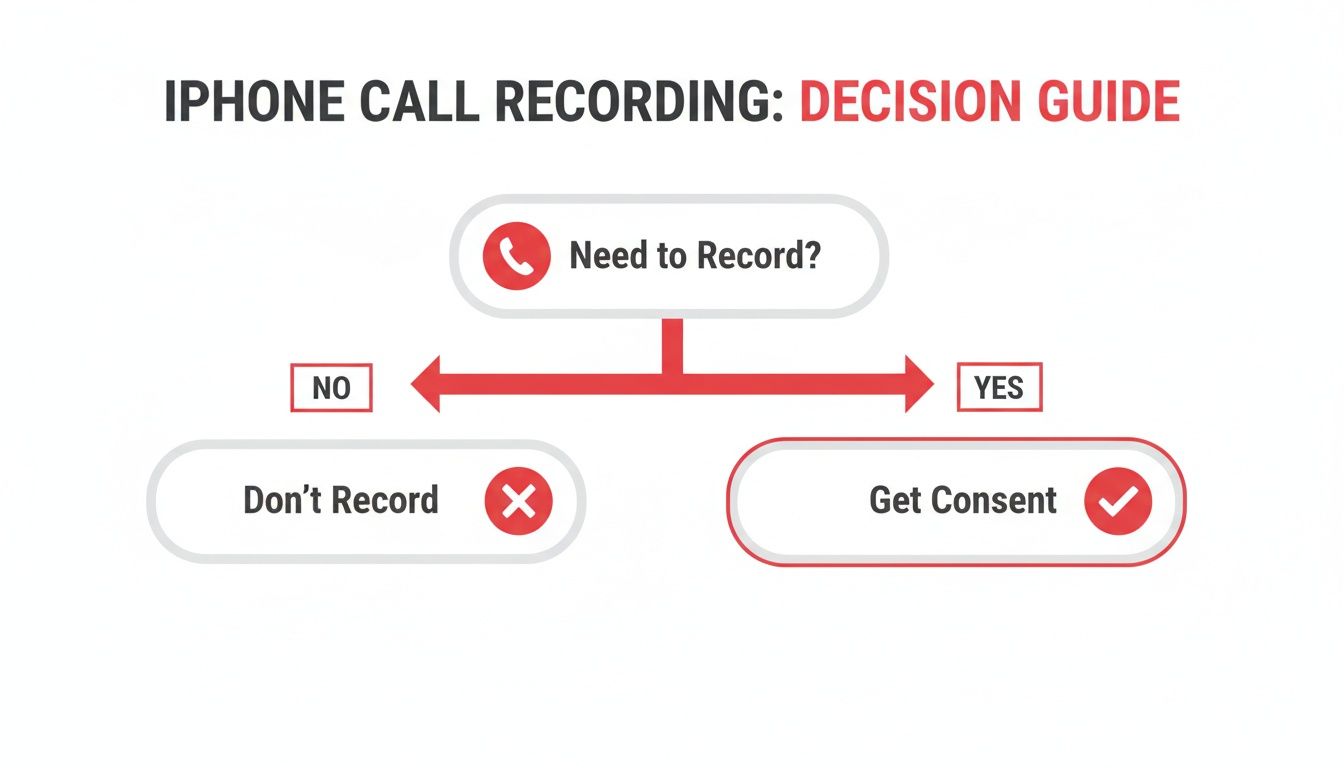
As you can see, getting consent isn't just a suggestion; it’s the bedrock of recording calls legally and ethically. Skipping this can land you in serious trouble.
This is especially true in regions with strong privacy laws. In the Netherlands, where iPhones have a 52% market share among 9.8 million smartphone users, the rules are strict. Dutch law (Article 139a) strictly forbids recording a conversation unless you are part of it. Between 2020 and 2025, breaches led to over 1,200 incidents, resulting in €4.7 million in fines and 340 convictions. To get a better sense of the rules where you are, it’s worth reading up on specific telephone call recording laws.
Finding a Solution That Works for You
So, how do you balance Apple’s privacy-first approach with your own professional needs? Thankfully, there are several solid workarounds, each with its own pros and cons.
To give you a quick lay of the land, here’s a comparison of the main options we'll cover.
Overview of iPhone Call Recording Methods
| Method | Cost | Ease of Use | Best For |
|---|---|---|---|
| Using Your Mac | Free | Moderate | Quick, occasional recordings without extra software |
| Third-Party Apps | Subscription-based | Easy | Convenient, regular recordings for interviews or client calls |
| External Hardware | One-time purchase | Varies | Highest audio quality for podcasts or professional content |
| VoIP Services | Varies (often included) | Easy | Business users already using VoIP for calls |
The best method really isn't a one-size-fits-all answer. It comes down to your budget, how often you need to record, and what you’re doing with the audio afterwards, such as transcription for accessibility or content repurposing.
Throughout this guide, we'll dive deeper into these proven solutions:
- Third-Party Apps and Services: These cleverly use three-way calling or VoIP technology to capture your conversations right from your phone.
- External Hardware Devices: For crystal-clear audio, nothing beats a dedicated physical recorder. This is the go-to for podcasters and content creators.
- Using Your Mac: A surprisingly effective and free method that uses the Apple devices you might already own.
By understanding what each approach offers, you can confidently pick the right tool for the job and start turning your important phone calls into valuable, reusable assets like searchable transcripts or video subtitles.
Before you even think about how to record a call on your iPhone, you need to ask a much more important question: should you? The legal and ethical side of recording conversations isn't just a tiny footnote; it's the first thing you need to sort out. Getting this wrong can land you in serious trouble, making any recording you capture useless at best, and illegal at worst.
At the heart of it all is one simple word: consent. Laws around call recording generally fall into two main camps, and knowing which one applies to you is non-negotiable.
One-Party vs. Two-Party Consent
Some regions follow one-party consent. This means you can legally record a conversation as long as you are part of it and have consented yourself. You don’t always need to explicitly tell the other person you're recording.
Then there’s two-party consent, sometimes called all-party consent. This is exactly what it sounds like—you must get permission from everyone on the call before you hit record. Honestly, this is the safest and most ethical way to go, no matter where you are.
I’ve been recording interviews for years, and my advice is to always act like you're in a two-party consent area. It just makes things simple and builds trust. A quick, "Hey, just so you know, I'm recording this call for my notes to ensure accuracy. Is that okay with you?" is all it takes.
This is especially critical in the Netherlands, where privacy rules are taken very seriously. Recording a call on an iPhone without getting everyone's permission can put you in breach of Article 139a of the Dutch Criminal Code. That law strictly forbids secretly recording private conversations and comes with hefty penalties: up to six months in prison or a fine of around €22,500.
Think that's just a theoretical risk? Data from the Dutch Data Protection Authority shows that between 2020 and 2025, over 1,200 cases of unauthorised recordings were reported. A significant 28% of these involved mobile devices like iPhones, resulting in 340 convictions and fines adding up to a massive €4.7 million. If you're interested in how data privacy is shaping up, you can explore more insights about mobile data trends in the Netherlands.
How to Ask for Consent Without Being Awkward
Getting permission doesn't have to be a big, formal deal. For professionals like journalists, researchers, or anyone creating content, it’s just a normal part of the process.
Here are a few easy ways to handle it:
- Get a quick verbal 'yes' at the start. Just kick off the call by saying something like, "Hi, is it alright if I record our chat today for accuracy?"
- Give a heads-up in writing. If you're scheduling a meeting or an interview, pop a line in the email invitation. A simple, "Please note that this call will be recorded for our records," gives everyone fair warning.
- Use an automated announcement. Some recording services have this built-in. You'll often hear a pre-recorded message like, "This call is being recorded for quality and training purposes." It’s a clear, undeniable way to notify everyone.
Make Sure You Document That Permission
Getting consent is step one, but proving you got it is just as important. If your recording ever comes under scrutiny, you'll need to show that you had permission.
Here’s how to cover your bases:
- Record their verbal agreement. Make sure the very beginning of your audio file includes you asking for permission and them saying "yes."
- Save your written communications. If they agreed via email or a messaging app, keep a copy of that exchange.
- Use a consent form for formal situations. For things like academic research, legal interviews, or highly sensitive conversations, a simple signed consent form is the gold standard.
By making clear communication and privacy your top priorities, you're not just staying on the right side of the law—you're also fostering a more honest and open conversation. This ensures the valuable information you capture can actually be used for transcription, content repurposing, or just creating accurate meeting notes.
Using Apps and Services to Record Calls
When you absolutely need to record a call on your iPhone, jumping through hoops with external gadgets isn't always practical. The most direct route is often a dedicated app or service. These tools work right on your phone, offering a much smoother way to capture important conversations.
They generally come in two flavours. Understanding the difference is key to picking the right one for you. Some are pure-play recording apps, while others are communication platforms that just happen to have a recording feature baked in.
The Three-Way Call Merge Method
One of the cleverest workarounds you'll see in iPhone call recording apps is the three-way call merge. It sounds more complicated than it is. Essentially, you're just starting a conference call with you, the other person, and the app's recording service as the third "person" on the line.
Here’s a quick rundown of how it usually works:
- First, you open the app and call its recording number. This connects you to a line that's ready to record.
- Next, you use your iPhone's "Add Call" button to dial the person you actually want to talk to.
- Once they pick up, you tap "Merge Calls." This brings everyone into the same conversation, and the service starts recording everything.
This method neatly sidesteps Apple's built-in restrictions by treating the recording line as just another participant. A huge number of popular apps on the App Store are built on this exact principle.
While it’s a smart solution, it’s not perfect. The audio quality can sometimes be a bit hit-or-miss, depending on how well your mobile carrier handles conference calls. Also, be prepared for a subscription; nearly all of these services come with a monthly or annual fee.
For journalists and podcasters who do a lot of interviews, the convenience of a merge-call app can easily justify the cost. Being able to quickly record, save, and sometimes even get an AI transcript all from one place is a massive productivity boost.
This need for on-the-go recording is part of a much bigger picture. Recent Dutch telecom data shows a huge spike in mobile activity, with data usage hitting a record 817 million gigabytes in a single quarter. This surge included a 22% rise in voice call minutes to 12.4 billion as people lean more heavily on their iPhones—which now claim 52% of the Dutch smartphone market—for both communication and creating content.
For creators, this translates to more recorded interviews and video calls that eventually need to be transcribed. In fact, Dutch creators produced over 1.2 million hours of Youtube content in 2025 alone. You can discover more about these mobile trends in the Netherlands to see how our mobile habits are shaping content workflows.
VoIP Services with Built-In Recording
The other main option is to use a Voice over Internet Protocol (VoIP) service. These are platforms that make calls over the internet instead of a traditional phone line. We're talking about popular tools like Skype, Google Voice, or the calling features built into Zoom.
Unlike the merge-call apps, many VoIP providers include recording as a standard feature, which makes life a lot simpler.
For instance, if you're on a Skype-to-Skype call, you can usually start recording with a single tap. The app often notifies both people that the recording has begun, which is a great way to handle the legal consent side of things automatically. This integrated approach tends to be more reliable since it doesn't have to piggyback on your mobile carrier's network.
Of course, going the VoIP route has its own trade-offs.
- Internet Dependency: Your recording quality is only as good as your internet connection. A patchy Wi-Fi or weak mobile data signal can lead to dropouts, garbled audio, or a failed recording.
- Platform Limitations: Often, the person you’re calling needs to be on the same service. If not, you might have to pay for credits to call out to a regular phone number.
- Call Type: The recording feature might only work for certain calls (like app-to-app) and not when you're dialling a standard mobile or landline.
For professionals who already use VoIP for client meetings, this is a fantastic choice. If you’re interested in the nuances of online meetings, you might find our in-depth comparison of Zoom Meetings and Webinars useful. Using a recording feature in a tool you already pay for is smart, efficient, and keeps all your professional chats organised in one place.
Go External for Crystal-Clear, High-Quality Recordings
When software solutions just don't deliver the quality you need, it's time to look at external hardware. If pristine, reliable audio is your top priority, taking the recording process completely off your iPhone is the best move you can make. This method sidesteps all the common gremlins that can ruin a recording, like a patchy network connection or a surprise software glitch.
For podcasters, journalists, or legal professionals, high-quality hardware isn't just a nice-to-have; it's an essential part of the toolkit. It offers a level of clarity and dependability that an app simply can’t match, especially when you plan to transcribe the audio later.
The Simple and Effective Two-Device Method
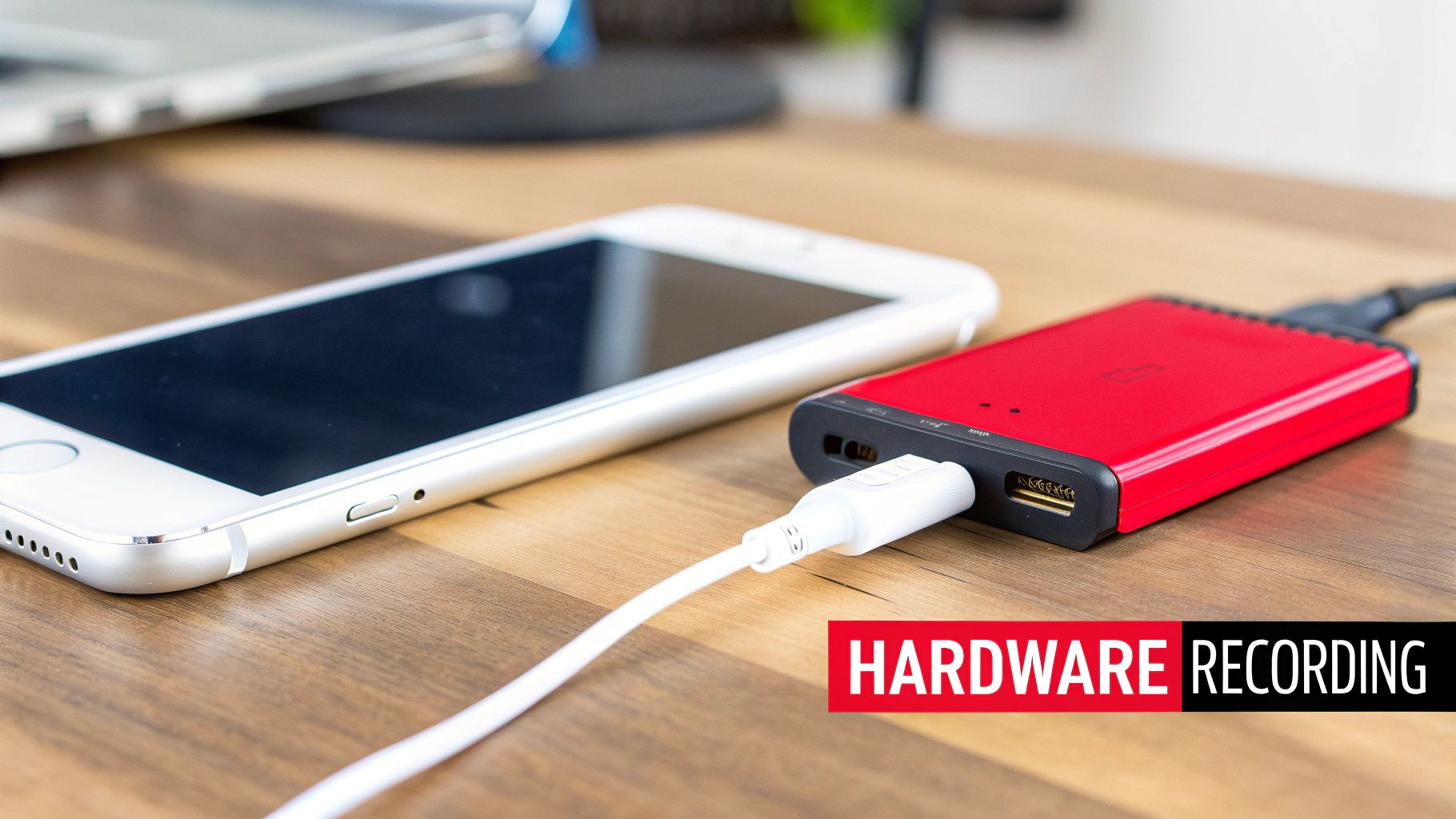
The most straightforward way to record a call is with a second device. You don't need anything fancy—another smartphone, a dedicated digital voice recorder, or even your laptop's microphone will do the job. The idea is brilliantly simple: put your iPhone on speakerphone and hit record on your second device placed nearby.
While it sounds basic, you can get surprisingly good results with a little bit of care.
- Find a Quiet Spot: This is your number one priority. Background noise is the enemy of a clean recording. A humming fridge, traffic from an open window, or café chatter will all be captured.
- Get the Placement Right: Don't just chuck the recorder on the table. Play around with its distance and angle from your iPhone's speaker. Too close, and the audio will sound distorted and harsh; too far, and it will be thin and echoey.
- Plug in an External Mic: If your second device has a microphone input, this is a game-changer. Using even a simple external lavalier microphone will make a massive difference to the sound quality.
This approach is fantastic because it's so simple and costs next to nothing, especially if you already have a second device. It’s the perfect entry-level hardware solution for anyone who needs a quick, reliable recording without buying specialised gear.
Purpose-Built Gadgets for iPhone Recording
If you need a more professional and portable setup, there are dedicated recording gadgets designed to work directly with your iPhone. These devices are built from the ground up to capture high-fidelity audio from your calls.
They usually connect in one of two ways:
- Directly via the Port: Some recorders plug straight into your iPhone's Lightning port (or headphone jack, for older models). These intercept the audio signal directly, often recording both sides of the conversation on separate channels—a massive plus for editing later on.
- Wirelessly via Bluetooth: Other devices connect to your iPhone just like a wireless headset. You pair the gadget, and it routes all call audio through itself, capturing everything cleanly.
These dedicated recorders are packed with features for professional use, like built-in memory, long-lasting batteries, and simple USB file transfer. They give you a clean, direct audio feed that isn't at the mercy of your phone's speaker or the noise in the room.
Comparing Hardware and Software Solutions
So, should you go with hardware or stick with a software app? The right choice really boils down to your specific needs, your budget, and how much you care about audio quality. A quick comparison can make the decision a lot clearer.
And remember, capturing the audio is just the first step. For many creators, the next challenge is getting it transcribed. If you're working with video content, you might be interested in learning how to extract sound from Youtube videos to make this process even smoother.
Software vs Hardware Recording Methods
| Feature | Software Apps | External Hardware | Recommendation |
|---|---|---|---|
| Audio Quality | Variable, dependent on network | Consistently high to excellent | Hardware wins for professional-grade audio. |
| Reliability | Can be affected by bugs or carrier issues | Extremely reliable, records independently | Hardware is the clear choice for critical recordings. |
| Cost | Typically a recurring subscription | One-time purchase, can be expensive | Software is cheaper upfront; hardware is a long-term investment. |
| Convenience | Very convenient, works on your phone | Requires carrying an extra device | Software is more portable for on-the-go recordings. |
In the end, choosing external hardware is a commitment to quality. If you're creating content where every single word matters—like a podcast with thousands of listeners or an interview you plan to transcribe for a major publication—the investment in a dedicated recorder pays for itself. It removes all the guesswork and ensures you walk away with a perfect recording, every single time.
Turning Your Recordings into Usable Content
So, you’ve managed to record your iPhone call. Great! But now you're sitting on a raw audio file. What's next?
An audio file on its own is a bit clumsy. You can't search it for a specific quote, and sharing key moments with your team means forcing them to listen to the whole thing. The real gold isn't the recording itself, but the information locked inside it.
This is where transcription comes in. It’s the key that unlocks the entire conversation, turning all that spoken audio into a searchable, editable, and shareable text document, boosting your productivity and enabling content repurposing.
From Raw Audio to Actionable Text
Getting from audio to text doesn't have to be a painful, manual process anymore. With today's AI tools, it's actually pretty straightforward. A clever and effective workflow I’ve seen many professionals use involves leveraging a platform like Youtube to handle the audio privately.
It might sound odd, but it works brilliantly. Here’s how you can do it:
- Prep and Upload: Take your audio recording and pair it with a static image to create a simple video file. Then, upload this video to Youtube and set its privacy to "Private" or "Unlisted". This keeps it completely hidden from the public.
- Generate the Transcript: Once it’s uploaded, you can use a specialised tool designed to pull the text directly from video content.
- Refine and Use: In just a few minutes, you’ll have an accurate, time-stamped transcript. Now you can easily analyse, edit, and repurpose the conversation.
This simple process transforms a passive recording into an active asset you can actually work with.
Real-World Scenarios for Transcription
The uses for a transcribed call are almost endless. It’s not just about having a written record; it’s about saving a huge amount of time and creating new value from a single conversation.
- For Content Creators: Just wrapped up a brilliant 45-minute podcast interview? Instead of scrubbing through the audio to find the best soundbites, you can just scan the transcript. Pull out killer quotes for social media, use the full text as a foundation for a detailed blog post, or create a newsletter summarising the key takeaways. This is content repurposing at its finest.
- For Researchers: If you’re conducting interviews for qualitative research, transcription is essential. A text version lets you analyse language, spot recurring themes, and code your data far more efficiently. It gives you the precision needed for serious academic or market research.
- For Project Managers: Picture a detailed client feedback call. A transcript gives you an instant set of meeting notes, complete with direct quotes and action items. This boosts productivity and accessibility, as you can share it with the team immediately, ensuring everyone is on the same page and nothing gets missed.
The real win here is efficiency. You're turning a one-time event—the phone call—into a reusable resource that can fuel everything from blog posts and subtitles to internal training guides.
The Power of AI-Powered Transcription
Modern automated transcription services have become incredibly accurate. A tool like YoutubeToText.ai can take that private video you uploaded and produce a detailed transcript in minutes, often with speaker labels and timestamps included.
This speed and accessibility are what make these tools so valuable. You get a clean, simple interface where you can see the transcribed text, copy it, or download it in different formats (like SRT for video subtitles).
If you’re looking around at different options, our guide on the best audio-to-text converters can help you find the perfect tool for your needs.
At the end of the day, the goal of recording a call isn't just to have the audio file—it's to use the information. By adding a quick transcription step to your workflow, you ensure every important conversation becomes a valuable, accessible, and truly useful asset.
Got Questions About Recording iPhone Calls?
Even after laying out all the methods, a few questions always seem to pop up. Let's dig into some of the most common ones I hear when people want to record a call on an iPhone. Here are some straight answers to help you get it right.
Can You Record FaceTime or WhatsApp Calls?
This is a great question, and the answer is a little different than for regular phone calls. The three-way call merge apps won't work for VoIP services like FaceTime or WhatsApp. But there's a simple workaround: your iPhone’s built-in screen recording feature.
Just swipe down to open the Control Centre, tap the screen record button, and you're good to go. It will capture both the video and the audio of your call. Keep in mind, this trick is only for app-based calls, not your standard cellular ones. Remember to get consent, as the screen recording won't notify the other party.
Do Recording Apps Automatically Tell the Other Person?
This is a huge one, and it gets into legal and ethical territory. The short answer is no. Most third-party apps that use the call-merging technique do not announce that the call is being recorded. It's completely up to you to get consent.
While some services like Skype do have an automatic notification, you should never rely on it. My advice? Make it a habit to verbally ask for permission and record that consent at the very start of the conversation, no matter which tool you're using.
What’s the Best Way to Get Podcast-Level Audio Quality?
If pristine audio quality is what you're after for content creation or accurate transcription, there's really only one foolproof solution: external hardware. Software is convenient, sure, but it's always at the mercy of your network connection, potential app glitches, and audio compression that can make things sound muddy.
Using a dedicated external recorder that plugs into your iPhone is the only way to guarantee a clean, reliable recording every single time. It’s what professional podcasters and journalists do for a reason—it just works.
Choosing the right method is all about matching the tool to the task. For a quick note-to-self, an app is fine. For a professional interview that will be published or transcribed, investing in hardware is the only way to go. It removes all variables and ensures your final product sounds polished and professional.
Is It Better to Record on an iPhone or a Mac?
Using QuickTime on your Mac is a brilliant free option, but it isn't always practical. It's perfect if you're at your desk in a quiet room and can put your iPhone on speaker. But if you’re out and about or in a noisy café, a dedicated iPhone app or external hardware will give you much better results and more flexibility.
It all comes down to where you are and what you need:
- At your desk in a quiet office? Your Mac is a solid, no-cost choice.
- Doing an interview on the move? An app or a portable recorder is a much smarter bet.
- Need the absolute best quality for transcription or content? Hardware wins, hands down, every time.
Knowing these little details helps you pick the perfect strategy for the situation, making sure you capture exactly what you need—legally and cleanly.
Once your call is recorded, the real work begins. YoutubeToText.ai can take your audio and video files and turn them into accurate, searchable text in just a few minutes. Stop wasting time scrubbing through recordings and start boosting your productivity with blog posts, meeting notes, and accessible subtitles effortlessly. Convert your first recording into text today.